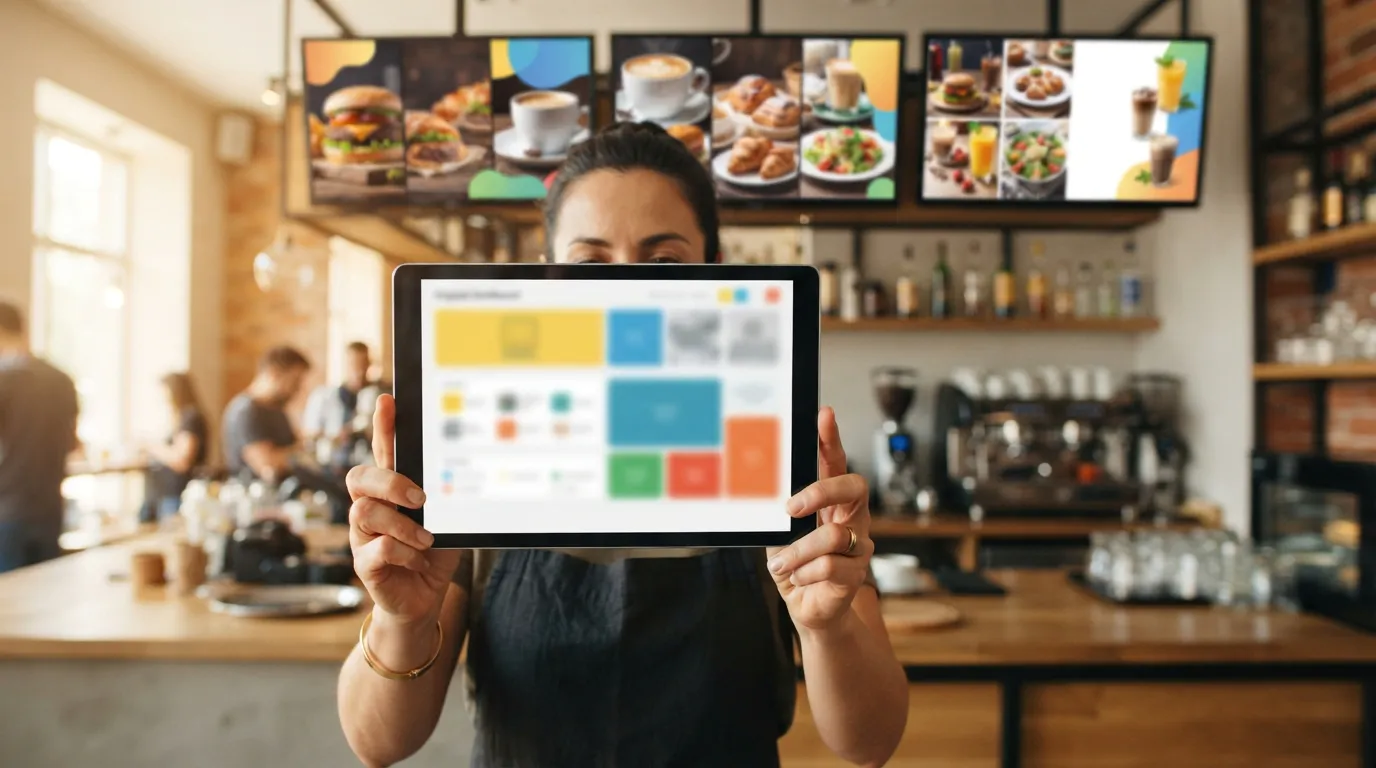
What Features Should You Look for in Digital Signage Software for Restaurants?
The most important features to look for in restaurant digital signage software are remote menu updates, content scheduling, multiple-screen management, TV compatibility, simple installation, reliable playback and affordable pricing. Restaurant owners should also consider team access, media support, screen monitoring, and how easily they can change promotions. With Billiie digital signage for restaurants, businesses can turn compatible TVs into digital menu boards and manage content remotely. Your first screen is free, forever, and you can then run 10 screens for just $10 a month.
But choosing the right software involves more than comparing feature lists. If you're opening a restaurant, replacing printed menu boards, upgrading your existing televisions or managing multiple locations, you need software that makes everyday operations easier. The last thing you want is a system that needs technical help every time you change the price of a sandwich, or expensive commercial equipment when a regular television could have handled your menu.
In this guide, we'll explore the features that matter most, explain how they work, and show you how to evaluate digital signage software before creating an account. We'll also cover common mistakes, which features are essential versus optional, and how to build a digital menu board system that can grow with your business.
What is restaurant digital signage software?
Restaurant digital signage software is a platform that lets businesses display and manage digital content on televisions, monitors and commercial displays. Instead of using printed menus, USB drives or manually changing content on each television, restaurant owners manage their screens through software.
Imagine a deli with five televisions above the counter, each showing a different menu category:
Breakfast sandwiches and omelets
Cold sandwiches and heroes
Burgers and hot food
Salads and healthy options
Drinks, smoothies and daily specials
Without a centralized system, updating these displays could mean visiting each television, replacing USB files or using separate devices. With cloud-based digital signage software, you upload content and assign it to the right screen from one dashboard. That makes it possible to organize multiple menus, change promotions and keep consistent branding without managing every display by hand.
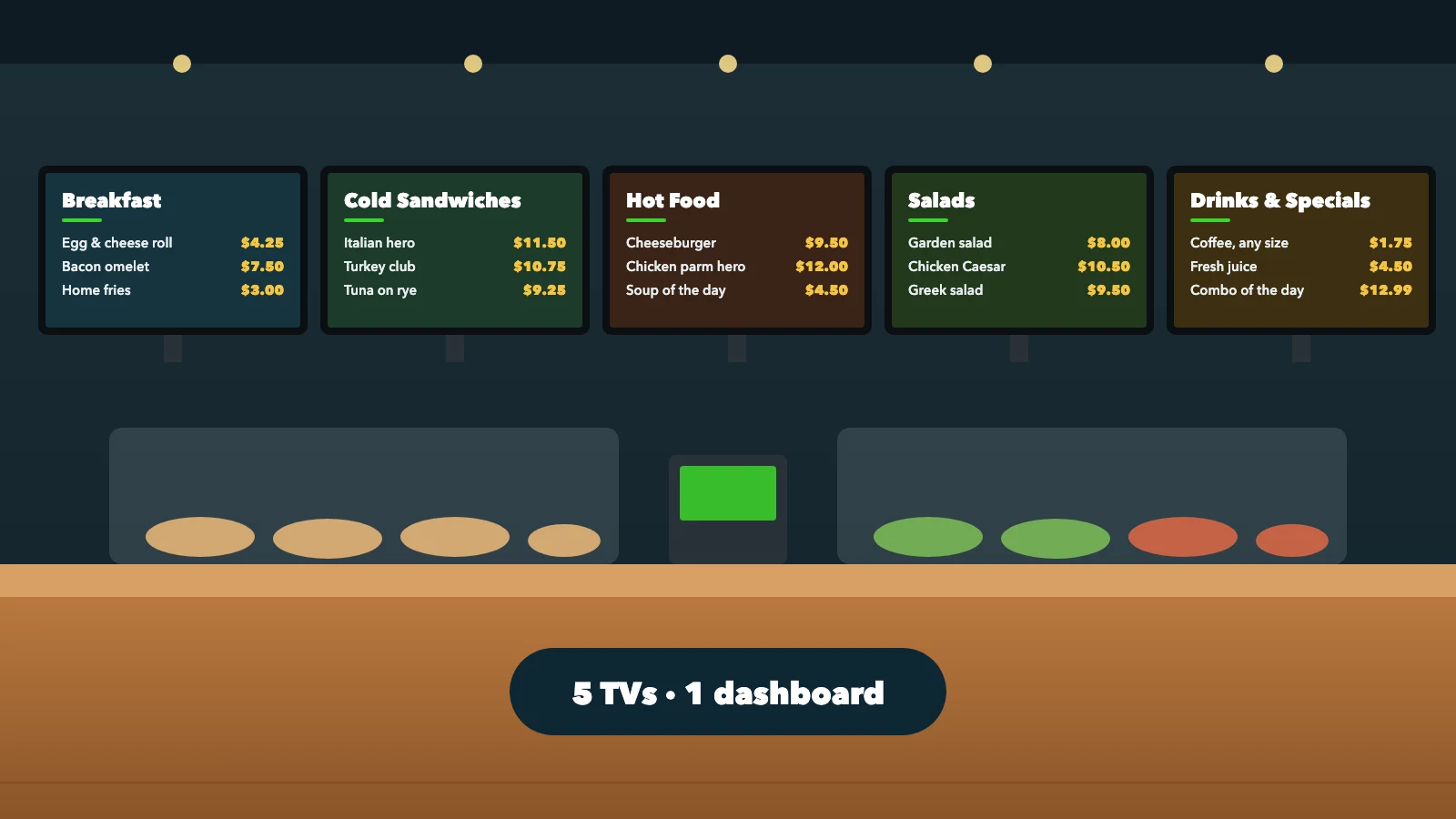
Illustrative five-screen deli menu wall, managed from one dashboard
How does digital signage software work?
Most digital signage systems have three main components:
A display: The television or monitor your customers see. It might be a regular smart TV, a television connected to a streaming device, or a commercial display.
A compatible app or media player: The software runs on a supported device connected to your screen. Some televisions run signage apps directly; others need an external media player.
An online content-management dashboard: Where you upload menu graphics, organize screens, schedule content and manage your displays.
Once the screen is paired with your account, it receives the content you assign. The exact process varies by provider, but the goal is the same: make it easier to control what appears on your restaurant's screens.
The 15 most important digital menu board features
Not every restaurant needs the same features. A coffee shop with one television has different requirements from a franchise managing hundreds of screens. Still, these are the capabilities worth considering before you choose a platform:
| Feature | Why it matters | Priority |
|---|---|---|
| Remote content updates | Change menus without visiting each TV | Essential |
| Content scheduling | Show menus and promotions at the right time | Essential |
| Multiple-screen management | Organize different menu categories | Essential for multi-screen setups |
| TV compatibility | Avoid unnecessary hardware purchases | Essential |
| Easy setup | Reduce installation complexity | Essential |
| Affordable pricing | Control recurring expenses | Essential |
| Image and video support | Display menus and promotions | Essential |
| Screen monitoring | Identify disconnected screens | High |
| Team access | Delegate screen management | High for teams |
| Playlists | Rotate promotions and announcements | High |
| Multi-location management | Control screens across restaurants | High for chains |
| Offline playback | Keep content visible during some outages | Useful |
| Menu design tools | Create or edit graphics | Optional |
| POS integration | Synchronize supported menu data | Optional |
| Analytics | Measure certain display activity | Optional |
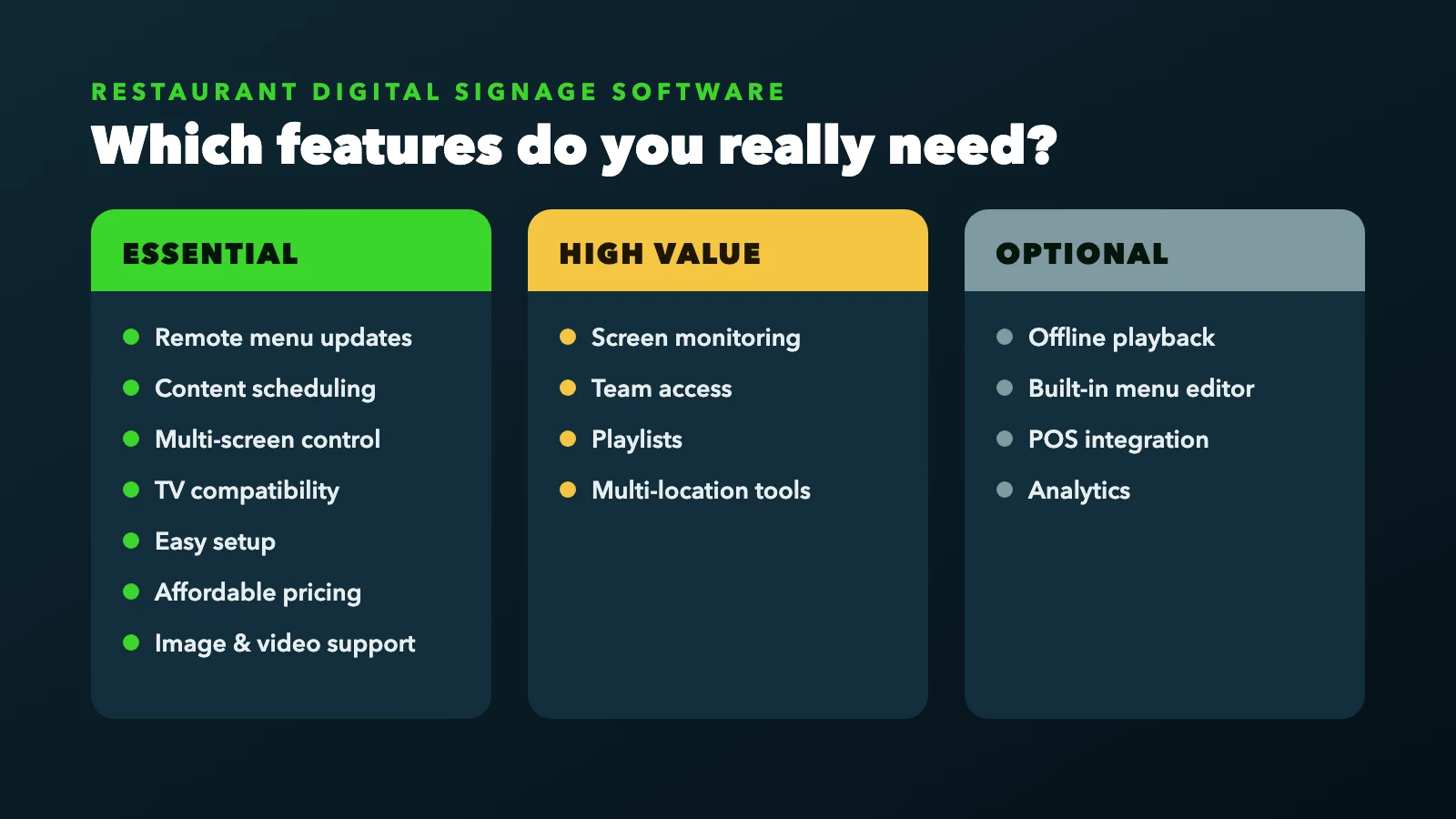
Restaurant digital signage features by priority
Let's look at each feature and when it becomes valuable.
1. Remote menu updates: the feature every restaurant should prioritize
If you only remember one feature from this guide, make it remote content management. Restaurant menus change: prices increase, suppliers run out of ingredients, seasonal items come and go, and new promotions arrive. With printed menus, updates may mean replacing signs or making temporary corrections. With USB drives, someone may need to physically swap the files. Remote digital signage management lets you update the content on a television without standing in front of it.
Example: a deli changes its sandwich prices
A deli owner manages four menu televisions, and the price of a popular sandwich rises from $8.99 to $9.49. With a manual USB-based system, the owner updates the design, transfers the new file and goes to the television. With cloud-based digital signage, the owner updates the original design, exports the revised image and uploads it through the dashboard, and the updated menu replaces the previous content on the selected screen.
Remote management is especially useful when:
The owner is away from the restaurant.
A manager handles daily operations.
Multiple screens display different menus.
Promotions change frequently.
The business operates several locations.
Before choosing software, ask whether you can manage content from a phone or computer, and whether updating one screen means changing every screen. A flexible system lets you choose which displays receive new content.
Remote updates and menu editing are different
Some digital signage systems include built-in menu editors. Others, including Billiie, focus on managing and displaying finished images and videos. With Billiie, you create or edit your menu in a separate design app, then upload the revised content. For many restaurants that's a simple workflow, because they already have menu designs or use tools such as Canva.
Neither approach is automatically better. Choose based on how your restaurant creates and maintains its menus.
2. Content scheduling: show the right content at the right time
Scheduling is one of the most useful digital menu board features. Imagine visiting a breakfast restaurant at 1 PM and still seeing breakfast specials that ended at 11 AM. Customers get confused about what's available, and staff have to explain which items are no longer served.
Time-of-day scheduling (dayparting)
Some platforms let you assign different menu graphics to specific times of day:
| Time | Content displayed |
|---|---|
| 6 AM–11 AM | Breakfast menu |
| 11 AM–4 PM | Lunch menu |
| 4 PM–10 PM | Dinner menu |
Once configured, the system switches menus on schedule, so nobody has to change the screen by hand every day. The same idea works for promotions: a pizza shop advertising a lunch combo from 11 AM to 3 PM, or a coffee shop promoting breakfast sandwiches in the morning and iced drinks in the afternoon. If your menu changes through the day, confirm that the platform supports time-of-day schedules before you subscribe.
Start and expiration dates
Another useful feature is setting a start and end date. Suppose a restaurant offers a Thanksgiving catering special that should disappear after the ordering deadline. Software with date-based scheduling stops showing that content automatically, so expired promotions don't linger on screen. Billiie lets you set start and end dates on each piece of content, which suits seasonal items, holiday specials and limited-time offers.
What to ask before choosing scheduling software
Find out whether the system supports:
Specific start and end times of day
Start and expiration dates
Different content on individual screens
Multiple scheduled campaigns
Easy schedule changes
For restaurants with changing menus, scheduling can save considerable manual effort.
3. Multiple-screen management: organize your entire restaurant
A single television might work for a small coffee shop with a limited menu, but a deli serving breakfast, sandwiches, salads, burgers, smoothies and hot food may need several displays. The challenge is keeping them organized. Picture this five-screen setup:
TV 1, Breakfast: Eggs, omelets, pancakes and breakfast sandwiches.
TV 2, Sandwiches: Cold cuts, heroes, wraps and specialty sandwiches.
TV 3, Hot food: Burgers, chicken sandwiches, fries and hot meals.
TV 4, Salads: Salad selections, toppings and extra protein options.
TV 5, Drinks: Smoothies, juices, coffee and beverages.
A good dashboard makes each screen easy to identify by name, so you never have to remember which television is connected to which device.
Why individual screen control matters
If you need to change the price of a smoothie, you shouldn't have to replace every menu in the restaurant. You should be able to update the drinks menu and assign it to the drinks screen. Likewise, a new burger special might belong only on the hot-food screen.
As the number of screens grows, look for a dashboard that lets you:
Name individual screens
See each screen's assigned content
Change content remotely
Organize multiple displays
Review screen status
Manage scheduling
Billiie lets businesses organize multiple screens from one account and assign different content to each display. For restaurants with several menu categories, it's one of the most practical features to have.
4. TV compatibility: avoid buying hardware you don't need
One of the biggest mistakes restaurant owners make is assuming they need expensive commercial digital signage monitors. Many restaurants can use regular televisions; the important factor is compatibility.
Can you use a regular smart TV?
Yes, many standard televisions can work as digital menu boards. But not every smart TV supports every signage app: a TV may have built-in streaming features and still not run the software you want. In that case, a compatible external streaming device usually solves the problem. Depending on the provider, supported devices may include:
Amazon Fire TV and Fire TV Stick
Android TV and Google TV
Dedicated digital signage players
Certain commercial display platforms
Billiie supports compatible Amazon Fire TV and Android TV devices, including supported Google TV models. Before purchasing anything, verify that the specific device and operating-system version are supported. Our guide to choosing the right monitor can help.
Why compatibility affects cost
Imagine you already own five suitable televisions. If your chosen software requires proprietary media players at $150 each, your hardware bill could be $750 before installation. If the same TVs work with lower-cost compatible streaming devices, your startup cost may be substantially lower, and the difference grows across several locations.
Consumer TVs vs. commercial displays
Consumer televisions are generally designed for household use. Commercial displays may offer longer operating-hour ratings, specialized warranties, higher brightness and business features. For a small restaurant operating normal hours, a suitable consumer TV may be enough; for extended daily operation or difficult lighting, commercial equipment may be worth it. Always check the manufacturer's operating recommendations and warranty terms. We compare both in consumer TV vs. commercial display for digital signage.
Before subscribing to any platform, ask:
Can I use my existing televisions?
Which streaming devices are supported?
Do I need proprietary hardware?
Can I install the app myself?
Does the software support my TV's operating system?
Are there additional device fees?
5. Easy installation: can you set it up yourself?
Between managing employees, ordering inventory, serving customers and handling daily operations, most restaurant owners don't want to spend hours learning complicated software. A signage platform should make it reasonably easy to connect a screen, upload content and start displaying it. A simple setup generally looks like this:
Choose a compatible television or media player.
Install the digital signage app.
Create an account.
Pair the television with the account.
Upload content.
Assign the content to the screen.
Example: setting up Billiie
Say you have a television mounted above your counter. Confirm that the TV or connected streaming device supports Billiie, install the app and open it. Create your Billiie account, follow the pairing instructions shown on the television, then upload your finished menu image or video and assign it to the screen. Your television now displays your menu.
Do you need professional installation?
Not necessarily. If the television is already mounted safely and has power, the software setup is usually straightforward. Professional installation can still help when mounting large screens, routing cables or doing electrical work. Software setup and physical installation are separate tasks: you can manage the software yourself while hiring a professional to install the hardware safely.
6. Affordable pricing: understand the cost per screen
Digital signage software pricing varies widely. Some providers charge per screen, others sell packages by number of displays, and enterprise systems may use custom pricing. Before choosing, calculate what you'll pay every month and every year. For ten digital menu boards, consider these illustrative rates:
| Monthly software rate | Ten-screen monthly cost | Annual cost |
|---|---|---|
| $5 per screen | $50 | $600 |
| $8 per screen | $80 | $960 |
| $10 per screen | $100 | $1,200 |
| Billiie 10-screen plan | $10 | $120 |
The first three rows are hypothetical pricing scenarios, not verified competitor quotes.
The difference between a $10-per-screen plan and Billiie's 10-screen plan would be $1,080 a year under these assumptions. For a full breakdown of hardware and running costs, see how much digital menu boards cost.
Look beyond the advertised monthly price
Some providers charge separately for additional screens, premium scheduling, team accounts, media storage, advanced analytics, hardware, content creation, installation or technical support. Ask what's included before subscribing: a plan that looks inexpensive can cost more once add-ons are included.
Consider the total cost of ownership
One-time expenses: Televisions, streaming devices, mounts, installation and menu design.
Recurring expenses: Software, electricity, optional design services, equipment maintenance and connectivity.
The right solution provides the features you need at a sustainable total cost.
Why Billiie's pricing suits small restaurants
Your first Billiie screen is free, forever, and you can then run 10 screens for $10 a month. Small businesses can start with one screen and expand without paying a separate subscription for every television. For a deli with five menu screens, the 10-screen plan leaves room to grow; for a restaurant group with ten screens, it's a predictable monthly software cost. You still need to budget for equipment and optional services, but the recurring software cost is simple.
7. Image and video support: display more than static menus
Digital menu boards can show food photography, promotional graphics, branded messages and videos, so media support matters.
Image-based menus: Often the most practical choice. Create a finished menu design, export it and upload it. This keeps a consistent layout with clear categories and prices.
Video promotions: Short videos can draw attention to specific products: a seasonal iced drink at a coffee shop, fresh pastries at a bakery, or a family meal deal at a pizza restaurant.
Video isn't always necessary, though. Customers need time to read menus, especially while standing in line, and a static, well-designed menu can be more effective than constantly moving content.
Avoid overloading your screens
A television filled with small text, multiple videos and several advertisements becomes hard to read. Prioritize what customers need: menu categories, product names, prices, important options and a few selected promotions. Use video and animation selectively.
When comparing software, check supported image and video formats, file-size limits, screen orientation, playback behavior, and whether different content can go to different displays. Billiie supports uploaded images and videos, so restaurants can use finished menu graphics and promotional content.
8. Screen monitoring: know whether your menu boards are connected
Imagine arriving during the lunch rush to find one of your menu screens isn't displaying. At one location you might notice quickly, but across ten restaurants you can't check every television throughout the day. Screen monitoring shows the status of connected displays, such as whether a screen is online or offline, so you can spot displays that need attention.
A disconnected menu board means customers may not see the menu, staff have to explain prices verbally, promotions stop running, and a manager may not realize anything is wrong until a customer mentions it. Remote monitoring helps you catch issues earlier.
Monitoring is not guaranteed uptime
A platform may report screen status without guaranteeing that the television is physically powered on or that the image is visible. Network interruptions, power failures and device problems all affect what the software can detect, so ask providers exactly what their monitoring measures. Billiie includes screen-status monitoring, which helps restaurant owners check the connectivity of their screens.
9. Team access: let managers handle their own screens
Not every owner wants to make every menu change personally. A general manager, shift supervisor, marketing employee or outside designer may help maintain your screens. Picture three restaurants, each with a manager responsible for local promotions: you want each manager to handle their own location's screens without sharing your main account credentials.
Shared passwords create security and management problems. If an employee leaves, you have to change the password and tell everyone else. Individual access is easier to manage. Look for software that lets you:
Invite team members
Give access to selected screens
Separate responsibilities
Remove access when employees leave
Avoid sharing the primary account password
Billiie lets you give team members access to specific screens, so you decide who manages which displays. For businesses with multiple managers, this can be an important operational feature.
10. Playlists: rotate promotions without replacing your menu
A playlist plays multiple pieces of content in sequence. A restaurant might rotate a lunch special, a catering promotion, a seasonal drink and a loyalty-program message instead of showing one advertisement all day.
Playlists work particularly well on promotional screens: a TV near the entrance rotating daily offers, a waiting-area display showing catering information and seasonal specials, or a screen by checkout promoting drinks and desserts.
Should you rotate your main menu?
Be careful. If customers are trying to read a menu, constantly changing content is frustrating: someone starts reading the sandwich section and the screen switches to a promotion. For essential menu information, static displays are usually easier; for promotions, playlists fit better.
When comparing playlist features, check whether you can control how long each item appears. A simple promotion may need a few seconds; a detailed menu needs much longer. Billiie supports playlists with configurable durations for each item.
11. Multi-location management: keep restaurant chains organized
Digital signage becomes more valuable as a business grows. If you own one restaurant today and open two more next year, you'll want consistent branding everywhere while showing different menus and promotions at each location.
| Restaurant | Screens | Content |
|---|---|---|
| Location A | 4 | Breakfast, sandwiches, drinks, specials |
| Location B | 3 | Main menu, beverages, promotions |
| Location C | 3 | Main menu, desserts, specials |
| Total | 10 | Multiple categories |
Instead of managing each location separately, a centralized platform organizes every screen in one account.
Centralized vs. local content
Keep consistent across locations: Brand colors, logos, national promotions and seasonal campaigns.
Vary by location: Local pricing, store-specific specials, available products and location announcements.
A useful platform makes it easy to assign the right content to each screen. Franchise businesses in particular need a balance between brand consistency and local flexibility, so evaluate account structure, team permissions, screen organization, billing and support before choosing software for a franchise network.
12. Offline playback: what happens when the internet goes down?
Cloud-based digital signage usually needs internet access for pairing, content uploads, synchronization and remote updates. What happens during a temporary outage depends on the software and device. Some systems download content to local storage and keep playing it if the connection drops, but this varies with the platform, device configuration, storage and content type.
Before selecting software, ask:
Does the device cache content locally?
Can it keep displaying existing content during an outage?
What happens if the device restarts without internet?
Will scheduled content keep changing?
How does the system reconnect?
What happens to content updates made during the outage?
A restaurant menu is operational information: if customers can't see it, ordering gets harder. Make reliability part of your evaluation, and keep a simple backup menu on hand for unexpected equipment or power failures.
13. Menu design tools: do you need a built-in editor?
Some signage companies include menu-design tools inside their software; others focus on displaying content created elsewhere.
Built-in menu editors: Let users change text, prices, colors and layouts without leaving the platform. Convenient if you want everything in one place, though templates and editing options vary.
External design tools: Design the menu in a separate app, export it as an image or video, and upload it. This gives you full control over the design and works well when you already have professionally designed menu graphics.
How Billiie handles menu designs
Billiie is built to manage and display finished content. It doesn't include an in-app menu design editor or let you edit text and prices inside uploaded graphics. When a price changes, update the original design file in your preferred editing tool, export the revised version and upload it to Billiie. It's a practical option for restaurants that want affordable screen management without paying for a larger all-in-one design platform. Our menu board design tips can help with the design side.
To decide which approach suits you, ask yourself:
Do I already have menu designs?
Do I work with a graphic designer?
Am I comfortable using a design tool?
How often do prices change?
Do employees need to edit menu text directly?
If your team needs direct text editing inside the signage platform, look for software that offers it. If you prefer creating finished graphics and managing them remotely, an upload-based platform may fit better.
14. POS integration: do you need automatic price synchronization?
A point-of-sale (POS) system manages transactions, products and prices. Some specialized digital menu board systems connect with supported POS platforms, so certain menu information can sync between the two. Without integration, a restaurant that changes prices often has to update the POS and the menu design separately; with a compatible integration, some of that can happen automatically. Capabilities vary widely, and not every system supports every POS provider.
Before paying for this feature, ask:
Which POS platforms are supported?
Are prices synchronized automatically?
Are product names and descriptions included?
What happens when a product is unavailable?
Can locations have different prices?
Does integration cost extra?
What happens if synchronization fails?
Does Billiie offer POS price synchronization?
No. Billiie's menu workflow uses uploaded images and videos: you update your original menu design and upload the revised content. Changing a price in Toast or another POS system won't modify an uploaded menu graphic in Billiie. If automatic POS synchronization is essential to your restaurant, verify that a provider offers a supported integration before subscribing. If you don't need it, simpler content-management software may be all you need.
15. Analytics: what should restaurant owners actually measure?
Analytics means different things in digital signage. Some platforms report screen activity, content playback or device status; others offer more reporting. But displaying an advertisement doesn't prove it increased sales. If you promote a new sandwich, the software may confirm the content played, not how many customers bought the sandwich because of it.
Practical ways to measure results include:
Sales of promoted products
Redemptions of promotional codes
QR code scans
Changes in average order value
Customer feedback
Sales during promotional periods
For example, advertise a lunch combo with a unique promo code; if your POS tracks the code, you can see how often customers redeemed it. That's more useful than assuming a screen increased sales. Advanced reporting can be valuable for larger operations, but a small restaurant with two menu screens may not need an expensive analytics package. Start with the features that solve your immediate problems.
Why technology matters for modern restaurants
According to the National Restaurant Association, 82% of restaurant operators say technology has benefited their businesses. As restaurants keep adopting digital tools, choosing the right software matters more. Digital menu boards are one way to simplify menu management, display promotions and keep information consistent across screens. Rather than investing in complicated systems with features you won't use, focus on technology that supports your daily operations and fits your budget.
Which digital signage features are essential for different restaurants?
A neighborhood deli, a coffee shop and a restaurant franchise all use digital signage differently. Here's how priorities typically shift:
Small delis: Large menus with many categories. Prioritize multiple-screen management, remote menu updates, clear image support, affordable subscriptions, scheduling and simple installation. A deli with five TVs should be able to update the sandwich screen without touching the breakfast or drinks displays.
Coffee shops: Frequent seasonal drinks and limited-time offers. Prioritize promotional playlists, scheduling, image and video support, easy updates and screen-specific content. See our guide to digital menus for coffee shops.
Pizza restaurants: Pies, toppings, sides, drinks and combo meals. Prioritize large readable layouts, multiple screens, easy price changes, promotional content and remote management. A dedicated screen for family deals or lunch combos often helps. More ideas in digital signage for pizza shops.
Bakeries: Seasonal products and limited-availability items. Prioritize image support, scheduling, promotional playlists, easy content replacement and remote management, for cake ordering, fresh pastries and holiday specials. See digital menus for bakeries.
Fast-food restaurants: Several screens and frequent promotional updates. Prioritize reliable playback, centralized management, scheduling, multiple-screen assignments, team permissions and consistent branding. Larger operations may also consider POS integrations and commercial hardware.
Restaurant franchises: The most complex needs: centralized administration, multi-location management, team access, consistent branding, location-specific content, screen monitoring, predictable billing and reliable support.
The right platform matches how your business actually operates rather than simply offering the longest feature list.
How digital menu boards compare with USB-based menus
Some restaurants already use televisions as menu boards but manage them with USB drives. That can work for basic static content, but the two approaches offer very different flexibility. With USB, you create a menu file, copy it to a drive and plug the drive into the TV or a media player. There's often no monthly fee, but someone has to access the device whenever content changes. Cloud-based signage uses an app and online dashboard instead, so you upload revised files remotely and assign them to selected screens.
| Feature | USB-based system | Cloud digital signage |
|---|---|---|
| Display menu images | Often | Yes |
| Remote content updates | Usually not | Yes |
| Scheduled content | Device-dependent | Common |
| Multiple-screen control | Usually manual | Centralized |
| Team management | Generally limited | Platform-dependent |
| Internet required for updates | Not necessarily | Generally yes |
| Software subscription | Often none | Usually recurring |
| Multi-location management | Manual | Available |
USB is reasonable when: You have one screen, your menu rarely changes, you don't need remote management, you want a simple offline display, and your TV supports the required media files.
Cloud software is better when: You run several screens, your menu changes often, you manage multiple locations, you want scheduled promotions, you need remote access, or different employees manage content.
The goal isn't to replace every USB setup automatically. It's to choose the method that matches your restaurant's workflow.
Digital signage vs. traditional printed menu boards
Printed menu boards have served restaurants for decades. They're familiar, need no software, and work well when menus stay stable. But a restaurant that changes prices several times a year may need new printed graphics each time, plus replacement signs for seasonal promotions and limited-time offers. That takes time and can involve design and printing costs. Digital menu boards let you update the design and upload the new version instead.
Digital signage isn't free just because it reduces printing, though. Televisions use electricity, equipment can fail, software may involve a subscription, and menu designs still need to be created and maintained. Compare the complete cost of both approaches. Printed menus may suit small businesses with simple, stable menus; digital signage is often more useful for restaurants with frequent changes, several menu categories or multiple locations.
Why restaurant owners should evaluate technology costs carefully
Digital signage is a business investment, not just a television purchase. Consider whether it solves a real problem: does it reduce manual work, make menu updates easier, keep promotional information accurate, and add useful capabilities without unnecessary monthly expenses?
The U.S. Small Business Administration encourages owners to weigh costs against expected benefits when making financial decisions. Apply the same thinking to digital signage by comparing hardware, monthly subscriptions, printing costs, staff time and the practical value of remote menu management. The cheapest software isn't always the best option, but the most expensive system isn't automatically the most capable or the right fit either. Choose features that address real business needs.
How digital signage can support restaurant marketing
Digital menu boards aren't only operational tools; they can also promote products and offers. Good marketing takes more than attractive graphics, though: you need to know what customers see and what you want them to do.
Promote high-priority items: Highlight a new sandwich, seasonal beverage or catering package. Keep the message clear: product name, key details and price, not a long paragraph.
Advertise limited-time offers: A weekend cake special, a lunch combo or a seasonal drink. Scheduling helps promotions appear during the right period. See how to promote daily specials with digital screens.
Promote catering and large orders: Office catering, party platters, birthday cakes, family meal packages and corporate lunches often go unnoticed. A dedicated promotional screen helps.
Use screens near the entrance: Displays near entrances or storefront windows can show menu highlights, opening specials or offers. Visibility depends on placement, brightness, glare and local signage rules, and a standard consumer TV may not suit every window-facing installation.
For more marketing ideas, see our guide to 7 low-cost ways to get more walk-in customers, covering storefront visibility, local promotions, menu accessibility and more.
Keep claims realistic: installing screens doesn't guarantee more customers or higher sales. Results depend on your location, offers, pricing, customer demand and execution. Treat digital signage as one part of your overall marketing strategy.
How to design digital menu boards customers can actually read
Even the best software can't fix an unreadable menu.
Start with viewing distance: A menu that looks fine on your laptop may be hard to read from several feet away. Test the design from the customer's ordering position before publishing.
Use clear typography: Choose easy-to-recognize fonts, avoid decorative typefaces for prices and key information, and keep text sizes consistent for similar items.
Organize information into categories: Group similar products, such as a Sandwiches section (turkey club, Italian hero, chicken cutlet, BLT) and a Drinks section (coffee, iced tea, lemonade, smoothies). Clear organization beats filling every inch of space.
Keep prices easy to find: Place prices consistently beside or below product names, never disconnected from their items.
Use contrast carefully: Dark text on a light background or light text on a dark background both work; what matters is readability under your restaurant's actual lighting.
Don't overuse animation: Movement attracts attention, but too much distracts. Keep essential menu information on screen long enough to read.
Maintain consistent branding: Use your restaurant's colors, fonts and visual style on every screen so the displays feel like one coordinated system.
Create your menu graphics in your preferred design app, export the finished files and upload them. With Billiie, you can assign different finished designs to individual televisions while keeping a consistent look across the restaurant. For placement, see the best places to put TV screens in a restaurant.
Common digital menu board mistakes to avoid
Many digital signage problems come from planning rather than software:
Buying hardware before checking compatibility: A restaurant buys several TVs, then discovers its chosen app doesn't run on them. Verify supported devices first.
Paying for features you don't need: A small café subscribes to an expensive enterprise platform when it only needs two menu screens. Choose based on actual requirements.
Displaying too much information: Fitting the entire menu on one TV makes the text too small. Divide the menu across multiple screens.
Ignoring screen placement: A screen may be too high, too far away or washed out by glare. Test viewing angles and readability before finalizing installation.
Forgetting about content updates: Without a process for keeping menus accurate, screens go stale. Assign responsibility and review displayed information regularly.
Using low-quality images: Blurry or poorly cropped graphics are hard to read. Export at the right dimensions and test on the actual TV.
Not planning for internet problems: Cloud systems depend on connectivity for management. Understand how your platform handles outages.
Making promotions too complicated: Six offers on one screen confuse customers. Focus on one or two clear messages.
Assuming all software includes design tools: Some platforms manage finished content rather than allowing direct menu editing. Verify the workflow first.
Ignoring long-term subscription costs: A small monthly fee adds up across screens and locations. Calculate the annual cost before subscribing.
How to compare digital signage software before buying
Don't rely entirely on marketing claims. Work through a simple checklist:
Step 1: Identify your restaurant's requirements
Write down how many screens you need, how often your menu changes, and whether you need scheduling, team access or multi-location management.
Step 2: Check device compatibility
List the televisions and streaming devices you already own and verify the software supports them.
Step 3: Compare monthly costs
Calculate the total subscription cost for your planned screen count, including any add-ons.
Step 4: Test the setup process
If a free plan or trial is available, use it: install the app, pair a screen and upload a sample menu.
Step 5: Test a menu update
Change a menu design, upload the revised version and see how easily you can assign it.
Step 6: Test scheduling
If your restaurant runs time-limited promotions or serves different meals through the day, set up a sample schedule and check it behaves the way you need.
Step 7: Review reliability and support
Find out how the platform handles connectivity issues, device problems and troubleshooting.
Step 8: Consider future expansion
You may only need one screen today, but what happens when you add five more? Choose a platform that can grow with you.
Digital signage software evaluation checklist
| Question | Your answer |
|---|---|
| Can I use my existing TV? | Yes / No |
| Does it support my streaming device? | Yes / No |
| Can I update content remotely? | Yes / No |
| Can I schedule content by date and time of day? | Yes / No |
| Can I manage multiple screens? | Yes / No |
| Can I assign different content to each TV? | Yes / No |
| Does it support images and videos? | Yes / No |
| Can I invite team members? | Yes / No |
| Can I monitor screen status? | Yes / No |
| Does it support offline playback? | Yes / No |
| Does it include menu editing? | Yes / No |
| Does it integrate with my POS? | Yes / No |
| What is the monthly cost? | $_____ |
| What is the annual cost? | $_____ |
| Is there a free plan or trial? | Yes / No |
Don't assume a provider supports a feature unless its documentation or a product demo confirms it.
How to get started with Billiie restaurant digital signage
If you want to try digital menu boards without committing to an expensive subscription, Billiie is a simple starting point. Your first screen is free, forever, and you can begin with one compatible television and expand as needed.
Step 1: Create your account
Visit Billiie.co and create your free account.
Step 2: Prepare your television
Use a supported Amazon Fire TV, Fire TV Stick, Android TV or compatible Google TV device. If needed, connect a supported streaming device to your existing television.
Step 3: Install the app
Download and open Billiie on the device.
Step 4: Pair your screen
Follow the on-screen pairing instructions to connect the display to your account.
Step 5: Upload your menu
Prepare a finished menu image or video in your preferred design tool and upload it to Billiie.
Step 6: Assign your content
Select the television that should show the menu and assign the uploaded content.
Step 7: Set start and end dates
For seasonal items and limited-time promotions, set the dates each piece of content should start and stop showing.
Step 8: Expand your screens
As your restaurant grows, add more compatible screens. After your free screen, Billiie's plan covers 10 screens for $10 a month, so you can dedicate screens to breakfast, lunch, dinner, drinks or promotions.
Step 9: Manage your content remotely
When a menu changes, update the original design file, upload the revised version and assign it to the right screen. No replacing printed menu boards or copying files to USB drives.
Frequently asked questions about digital menu board features
What are the most important features of digital signage software for restaurants?
The most important features are remote content management, scheduling, multiple-screen control, TV compatibility, reliable playback and affordable pricing. Restaurants with several locations may also need team permissions and centralized screen management.
What is the easiest digital signage software for restaurants?
The easiest software depends on your devices and workflow. Look for a simple pairing process, an understandable dashboard and straightforward content uploads. Testing a free plan is a practical way to judge usability before committing.
Can I use a regular TV for digital menu boards?
Yes. Many consumer televisions can display digital menus with compatible signage software or a supported streaming device. Check compatibility, operating hours, brightness and warranty terms before installing.
Do digital menu boards need expensive commercial displays?
Not always. Small restaurants can often use suitable consumer TVs. Commercial displays may be better for extended operating hours, demanding lighting or specific business requirements.
Can restaurant digital signage automatically change from breakfast to lunch?
Some platforms support time-of-day scheduling, which switches between breakfast, lunch and dinner menus automatically. Check that the platform you choose offers it if your menu changes through the day. Billiie currently schedules content by start and end date.
Can I manage multiple restaurant TVs from one account?
Yes. Many digital signage platforms support multiple-screen management. Billiie lets restaurants assign content to individual screens and organize every display in one account.
Can I update digital menu boards remotely?
Yes. Cloud-based signage platforms let you upload and manage content remotely. With Billiie, you update your finished menu design and upload the revised file to the right screen.
Does digital signage software include menu design tools?
Some platforms include built-in design editors, while others manage uploaded content. Billiie focuses on displaying and managing finished images and videos rather than editing menu text inside the app.
Can I display videos on digital menu boards?
Yes. Many platforms, including Billiie, support video playback. Use videos for promotions, seasonal products and advertising, but keep essential menu information easy to read.
How much does digital signage software cost for restaurants?
Pricing depends on the provider, features and number of screens. Some platforms charge per display, while others offer bundles. Billiie's first screen is free, forever, and 10 screens cost $10 a month.
Can I use digital signage software in multiple restaurant locations?
Yes. Cloud-based systems help businesses manage displays across several locations. Check whether the provider supports the screen organization, permissions and account structure your business needs.
Does digital signage work without internet?
Some systems keep playing previously downloaded content during temporary internet interruptions, but offline behavior varies by platform and device. Verify the exact capabilities before relying on them.
Can digital menu boards increase restaurant sales?
Digital menu boards help restaurants communicate promotions and make products more visible. Sales results depend on many factors, including pricing, customer demand, screen placement and how effective the promotion is.
Does Billiie automatically update menu prices from Toast POS?
No. Billiie's uploaded-content workflow doesn't automatically edit menu graphics when POS prices change. Update your original menu design and upload the revised file. If you need automatic POS synchronization, verify available integrations with the provider.
How many digital menu boards does a restaurant need?
A small café may need one or two screens, while a deli with several menu categories may benefit from four or five. The right number depends on menu size, customer viewing distance and available space.
Can I use different menu designs on different screens?
Yes. With multi-screen management software, each television can display its own content: breakfast on one screen, sandwiches on another and drinks on a third.
Is digital signage better than using USB drives?
Cloud-based digital signage is generally more convenient for frequent remote updates, scheduling and multi-screen management. USB drives can still suit simple displays that rarely change.
What is the difference between digital signage software and digital menu board software?
Digital menu board software is a type of digital signage software focused on restaurant menus. General digital signage platforms also support advertisements, announcements, videos and other business content.
Can employees manage digital menu boards?
Many platforms offer team access. Billiie lets you give team members access to specific screens, so you can share screen-management responsibilities.
What should I test before paying for digital signage software?
Test device compatibility, setup, content uploads, scheduling, remote updates and screen management. Also compare subscription pricing and confirm that the features your restaurant needs are included.
Final thoughts: choose software that makes your restaurant easier to manage
The best restaurant digital signage software isn't necessarily the one with the most features. It's the one that helps you manage your menus efficiently without unnecessary cost or complexity. For most independent restaurants, the priorities are straightforward:
Use compatible televisions.
Update menus remotely.
Schedule content when it should appear.
Manage multiple screens.
Display clear menu images and promotions.
Keep software costs affordable.
Expand when the business needs more screens.
Advanced features such as POS integrations, sophisticated analytics and enterprise management can be useful for some businesses, but they aren't essential for every restaurant. If you run a neighborhood deli, café, pizza shop, bakery or small restaurant group, start with the capabilities you'll actually use.
Billiie is an affordable way to turn compatible televisions into remotely managed digital menu boards. Upload finished images and videos, schedule content, assign different menus to individual screens and manage every display from one account. Your first screen is free, forever, and 10 screens cost just $10 a month. Instead of paying for features you may never use, start with one screen, learn how the system works, and expand as your restaurant grows.
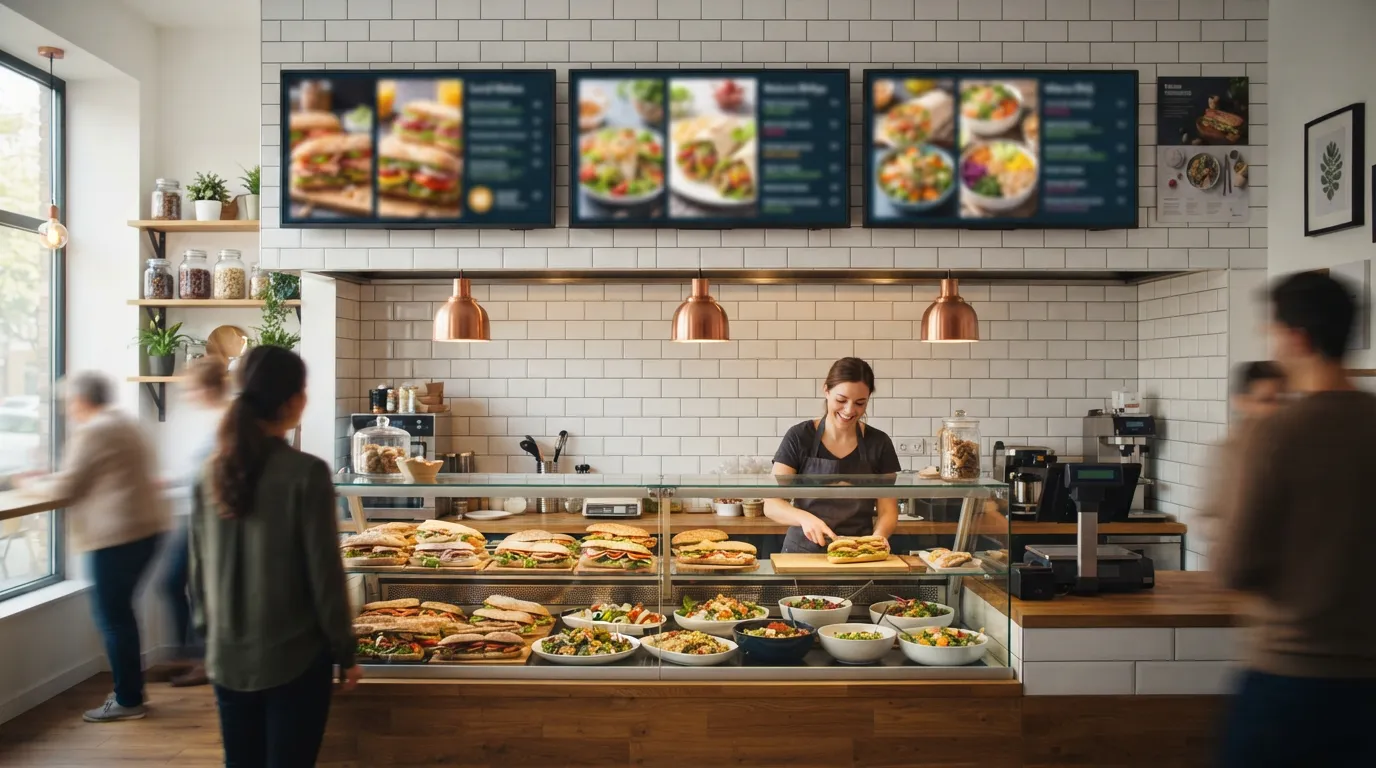
Ready to bring Billiie to your business?
Manage your screens, content, and locations from one simple dashboard.
No commercial signage hardware neededPowered by Billiie