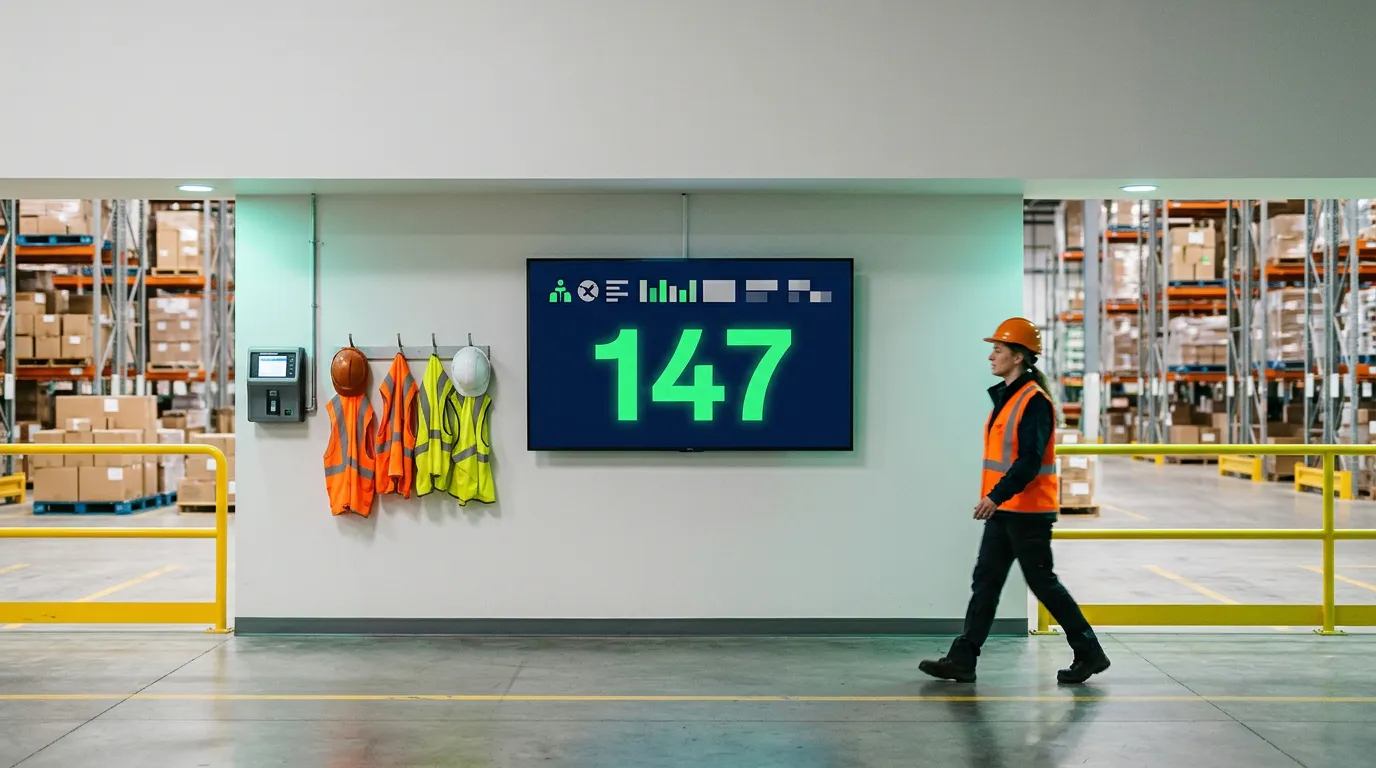
Accident-Free Days Display: What are they & Why You Need One Now
Introduction: Why Every Workplace Should Track Accident-Free Days
How many days has your business gone without a workplace accident?
For some companies, that number is proudly displayed at the entrance of a warehouse, manufacturing facility, construction site, or distribution center. For others, the information is buried in spreadsheets, safety reports, or internal documents that employees rarely see.
An accident-free days display changes that by making workplace safety performance visible to everyone.
These displays show the number of days a workplace has operated without a qualifying accident. They serve as daily reminders that safety matters, encourage employees to remain aware of workplace hazards, and help organizations communicate safety goals.
Traditionally, businesses used manual signs with interchangeable numbers. Today, many organizations are moving toward digital accident-free days displays that can be updated remotely, combined with safety announcements, and shown on existing television screens.
But does your business really need one? How do these displays work? And can you create a digital safety counter without purchasing expensive specialized equipment?
This guide explains everything you need to know about accident-free days displays, including their benefits, features, costs, limitations, and how to get started.
1. What Is an Accident-Free Days Display?
An accident-free days display is a workplace safety sign or digital screen that shows how many consecutive days a business, department, or facility has operated without a defined workplace accident.
The display commonly features a message such as:
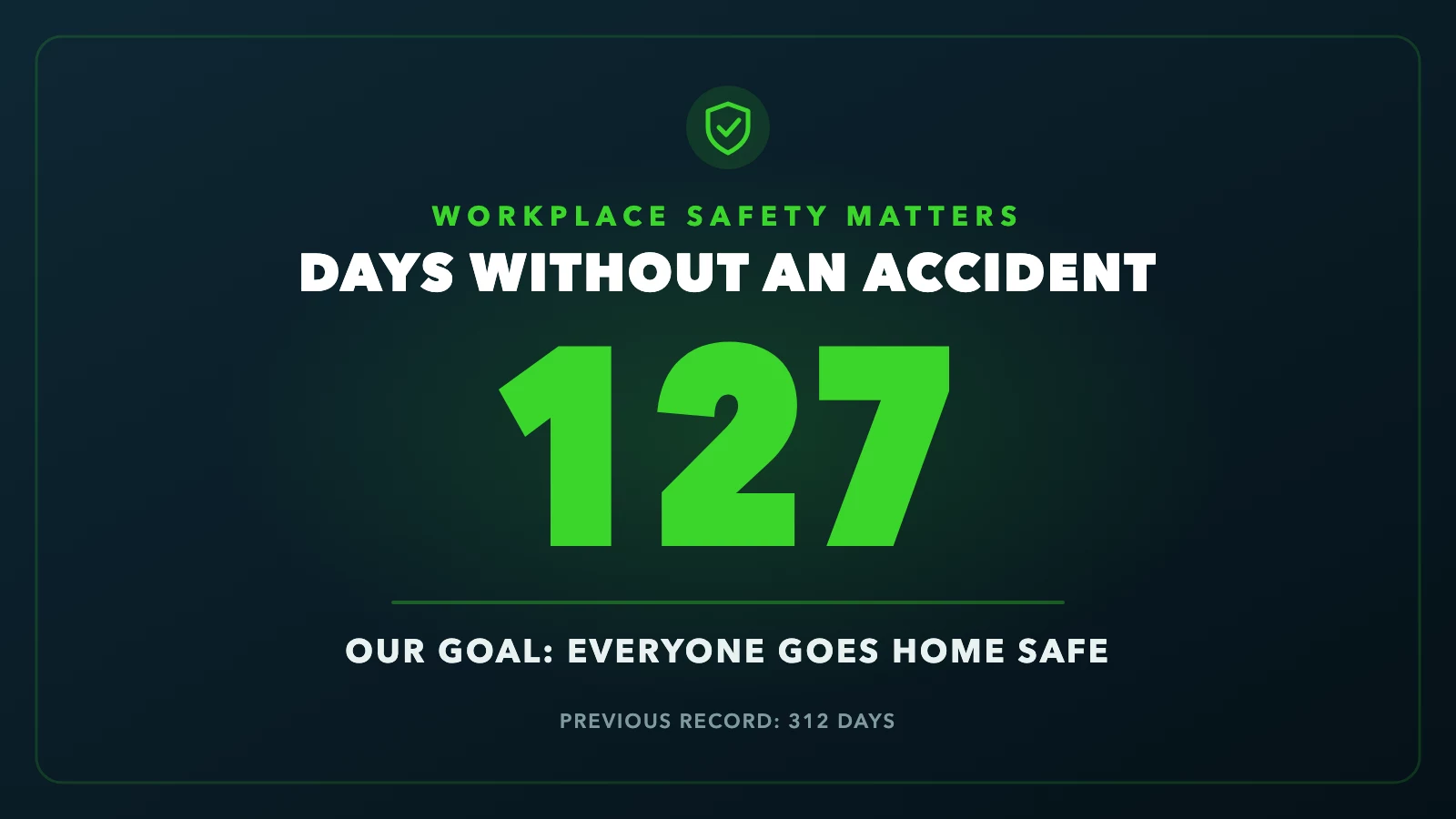
Illustrative digital accident-free days display
The number represents the days since the last incident that meets the organization's counting criteria.
For example, if a manufacturing facility has operated for 127 consecutive days without a qualifying accident, the display would show 127. If a qualifying incident occurs, the counter is reset according to the company's established safety policy.
However, businesses should define exactly what counts as an accident. Some organizations track OSHA-recordable incidents, while others track lost-time injuries or separate categories of workplace events.
A clearly defined metric helps employees understand what the number means and prevents confusion about when it should reset. For a full checklist of what to put on the board, see what an accident-free days display should include.
What information can a safety display show?
Modern workplace safety displays can communicate much more than a single number.
They may include the current accident-free day count, the previous safety record, the facility's safety goal, emergency reminders, personal protective equipment requirements, upcoming training sessions, and other important workplace announcements.
Some businesses also display multiple safety metrics, such as days since the last lost-time injury and the number of safety inspections completed during the month.
The goal is to turn an ordinary sign into a useful workplace communication tool.
2. Why Do Businesses Use Accident-Free Days Displays?
Workplace accidents can disrupt operations, affect employee well-being, and create financial and operational challenges.
Businesses invest in safety training, protective equipment, inspections, and preventive maintenance to reduce these risks. An accident-free days display supports these efforts by keeping safety visible throughout the workday.
Keeping safety at the forefront
Employees may receive safety training when they are hired, but that information needs reinforcement. A visible safety counter reminds workers that preventing accidents is an ongoing responsibility.
When employees walk into a facility and see the current accident-free day count, it creates another opportunity to think about safe work practices.
The display can be particularly useful when paired with practical reminders, such as wearing protective eyewear, reporting damaged equipment, or keeping emergency exits clear.
Building a shared safety culture
Safety is most effective when it becomes part of everyday workplace behavior rather than a set of rules employees only review during training.
An accident-free days display can reinforce a shared goal: protecting everyone who works at the facility.
When managers consistently discuss safety performance, recognize hazard reporting, and respond to employee concerns, the display becomes part of a broader safety culture.
Importantly, the number should never be used to pressure employees into hiding injuries or avoiding incident reports. A successful safety program celebrates safe practices, honest reporting, and continuous improvement.
Improving communication
In busy industrial environments, employees may not regularly check email or company intranet announcements. Digital screens provide an additional communication channel that workers can see during shifts.
A safety display positioned near a time clock, employee entrance, break room, or production floor can communicate information without requiring workers to open another application.
3. Traditional Accident-Free Days Signs vs. Digital Displays
Businesses generally have two options when displaying their accident-free day counts: traditional physical signs and digital displays. Both can communicate the basic metric, but they differ in flexibility, maintenance, and functionality.
Traditional safety signs
These typically use printed boards, mechanical counters, or interchangeable numbers. They're simple and don't require internet access, but someone must update them manually.
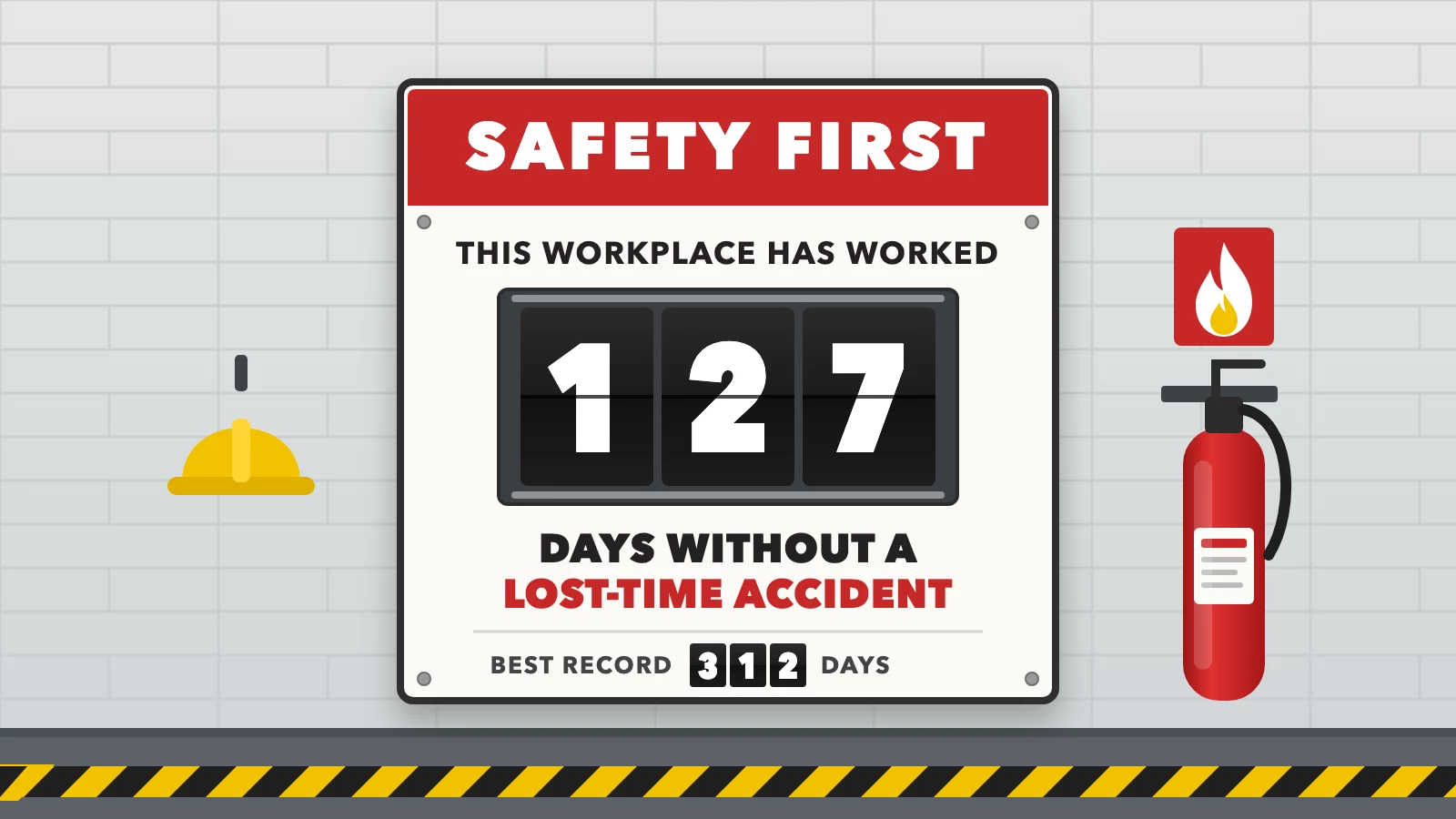
A traditional sign: someone changes the number cards by hand
Digital accident-free days displays
These use televisions, monitors, or dedicated digital signage screens. They can show customized safety information and allow authorized staff to update content remotely.
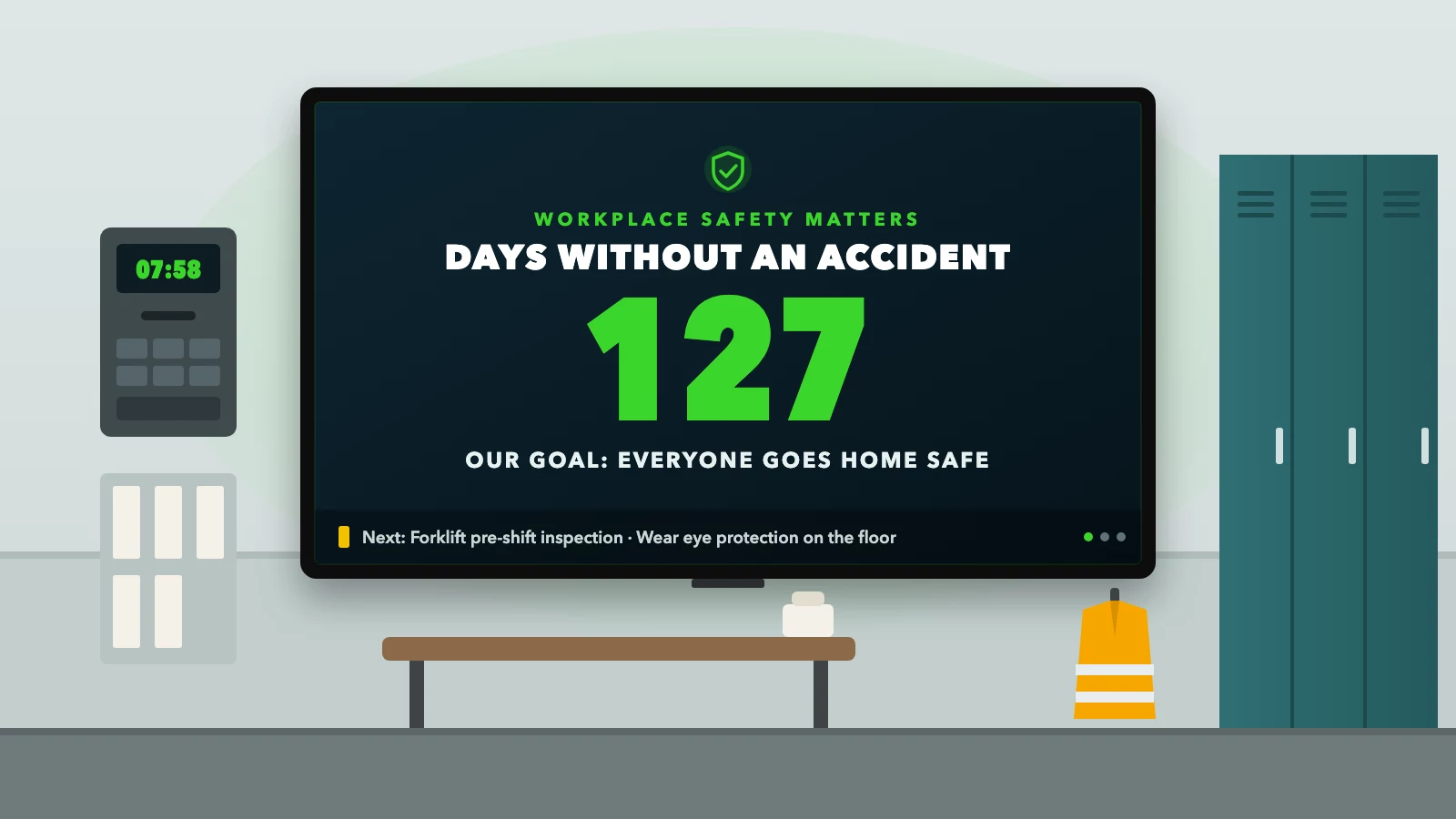
A digital display on a regular TV, with room for rotating safety reminders
Comparison: Traditional vs. Digital
| Feature | Traditional sign | Digital display |
|---|---|---|
| Accident-free day count | Yes | Yes |
| Remote content updates | No | Yes, with software |
| Safety announcements | Limited | Yes |
| Images and videos | No | Yes |
| Multiple locations | Manual updates | Central management |
| Content scheduling | No | Yes |
| Initial equipment | Printed sign | Compatible screen/player |
| Automatic day counter | Not typical | Requires supported functionality |
Digital displays offer more flexibility, especially for businesses managing multiple departments or locations.
However, an important distinction is that not every digital signage platform includes an automatic accident-free days counter. Some systems require users to update the number manually or upload a newly generated design. Others provide dedicated counter widgets that calculate elapsed days automatically.
Before selecting a system, businesses should confirm how the counter is updated.
4. Seven Benefits of Using an Accident-Free Days Display
Benefit 1: Encourages daily safety awareness
Safety reminders are most useful when employees encounter them regularly. An accident-free days display provides a visible reminder of the company's safety priorities.
For example, a warehouse could combine its accident-free day count with a message encouraging employees to inspect forklifts before beginning their shifts. The counter captures attention, while the supporting message communicates a specific action.
Benefit 2: Recognizes collective progress
Reaching 30, 100, or 365 days without a qualifying accident can be a meaningful milestone. Businesses can recognize these achievements through employee meetings, internal announcements, or workplace displays.
The focus should remain on safe behaviors and effective prevention, rather than simply achieving a larger number.
Benefit 3: Supports safety communication across shifts
Manufacturing plants, warehouses, and distribution centers often operate multiple shifts. Employees working overnight may not attend the same meetings as daytime staff.
A digital safety display provides consistent information across operating hours. Managers can also schedule different reminders for different shifts when the signage software supports scheduling.
Benefit 4: Reduces manual content management
Traditional signs require someone to change the displayed numbers. With digital signage, authorized employees can update safety messages and replace counter designs remotely.
Where automatic counters are supported, the system may also calculate and display the number of days without manual changes. This can reduce administrative work and improve consistency.
Benefit 5: Supports multiple facilities
Businesses operating several warehouses, factories, or offices may want a consistent approach to safety communication.
Digital signage allows corporate safety teams to distribute standardized messaging across locations while maintaining facility-specific information. For example, each warehouse might display its own accident-free day count while sharing the same company-wide safety announcements.
Benefit 6: Makes safety information more noticeable
A properly designed digital display can use large numbers, high-contrast colors, and readable typography. This makes the information easier to recognize from a distance.
Digital screens can also rotate through other relevant messages, although important information should remain on screen long enough to be read.
Benefit 7: Uses screens for multiple purposes
A dedicated accident-free days sign serves one primary function. A digital screen can serve several.
Businesses can use the same display for workplace safety reminders, training announcements, emergency preparedness information, company updates, and employee recognition. This can make digital signage a more flexible investment than a single-purpose sign.
5. Which Workplaces Use Accident-Free Days Displays?
Manufacturing facilities
Factories can display safety performance alongside machine safety reminders, protective equipment requirements, and shift announcements.
Warehouses and distribution centers
Safety displays can reinforce forklift awareness, pedestrian safety, lifting procedures, and material handling practices.
Construction companies
Contractors can communicate site-specific safety information, current milestones, and daily hazard reminders.
Automotive and repair facilities
Service centers can combine safety counters with equipment inspection reminders and shop safety procedures.
Other suitable environments include logistics companies, food processing plants, utility operations, transportation facilities, recycling centers, and industrial maintenance departments.
Office-based organizations may also use workplace safety displays, although their communication needs and incident risks will differ.
The important question is not whether a company belongs to a particular industry, but whether a visible safety display would improve communication with its employees.
6. What Should an Accident-Free Days Display Include?
A good workplace safety display should be easy to understand within a few seconds. Employees should not have to read multiple paragraphs or interpret a complicated dashboard to find the information.
A large accident-free day counter
The number should be the most prominent element on the screen. For example:
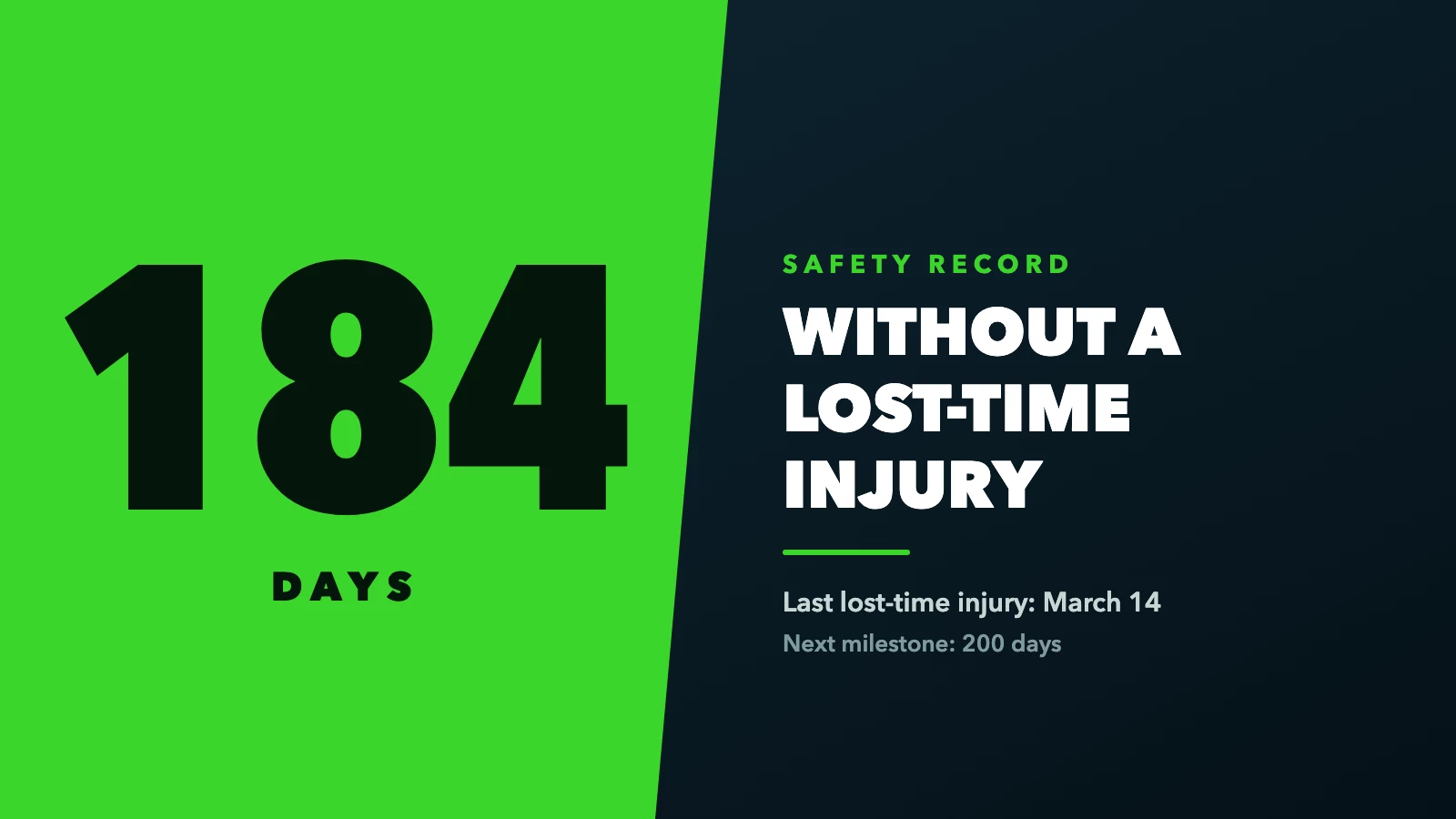
A counter that names exactly what it measures
This wording identifies the specific metric being measured. A counter labeled simply "days without an accident" may be less precise if the organization tracks several categories of incidents.
A clear safety message
Supporting text can reinforce the company's priorities. Examples include:
Safety starts with you.
Report hazards before they become accidents.
Protect yourself. Protect your team.
Every employee deserves to go home safe.
Never sacrifice safety for speed.
The last qualifying incident date
Displaying the date of the last qualifying incident can provide context for the counter. For example, a business might show its last recordable incident date beneath the current count.
Only appropriate, nonconfidential information should be displayed.
A safety goal
Some companies choose to show their next milestone, such as 200 or 365 days. This can help recognize progress, but organizations should avoid creating incentives that discourage reporting.
Additional safety reminders
A digital display can also communicate fire safety procedures, required protective equipment, inspection reminders, weather-related precautions, and emergency evacuation information.
For the best readability, keep the primary counter uncluttered and display additional messages separately or in a clearly defined secondary area.
7. Where Should You Install an Accident-Free Days Display?
Location matters almost as much as the information itself. A well-designed screen will have limited value if employees rarely see it.
Common placement options include:
Employee entrances: Workers see the safety count when entering the building or beginning their shifts.
Time clock areas: Displays can reach employees as they clock in and out.
Break rooms: These provide opportunities to communicate longer safety messages and training announcements.
Warehouse entrances: Employees can review relevant reminders before entering operational areas.
Production floor common areas: Displays can communicate safety performance and important updates to workers during the day.
Safety meeting rooms: Supervisors can use displays during shift briefings and safety discussions.
Screens should be mounted securely and positioned so they do not obstruct exits, distract equipment operators, or create new hazards.
Businesses should also consider screen brightness, viewing distance, electrical access, and environmental conditions.
In dusty, wet, hot, or otherwise demanding industrial environments, a commercial or appropriately protected display may be more suitable than an ordinary consumer television.
8. How Much Does an Accident-Free Days Display Cost?
The cost depends on whether the business chooses a traditional sign, a specialized electronic counter, or a digital signage solution.
A printed safety sign is usually the simplest option. Specialized electronic safety counters may include dedicated hardware and built-in counting functions.
A digital signage solution can use a compatible television or monitor and software to display safety content.
Potential expenses include the screen, mounting hardware, a media player if required, installation, content design, and ongoing software fees.
Can you use an existing TV?
Yes. Many businesses can reuse an existing compatible smart TV or monitor instead of purchasing a dedicated safety display. This is particularly useful when the organization already has televisions installed in break rooms, offices, warehouses, or common areas.
For example, Billiie offers affordable digital signage software that allows businesses to display uploaded images and videos on compatible screens. Businesses can create a custom accident-free days graphic, upload it to Billiie, and update the displayed content when necessary.
With Billiie, your first screen is free, forever, and after that you can get 10 screens for $10 a month, making it a potential option for organizations that want to manage multiple safety displays without paying for a separate signage subscription for every location.
An important consideration: Billiie should be used to display an accident-free days design, not assumed to calculate or automatically reset the counter. The displayed count must be maintained through an appropriate manual or external workflow.
9. How to Create a Digital Accident-Free Days Display
Creating a digital safety display does not necessarily require custom hardware or an expensive industrial signage system. Here is a practical approach using an existing compatible television and digital signage software.
Step 1: Define your safety metric
Before creating the display, decide exactly what the counter measures. For example, your organization might track days since the last OSHA-recordable injury, days since the last lost-time injury, or another clearly defined incident category.
Document the criteria, identify who is responsible for maintaining the count, and establish when the number resets. Make sure the displayed metric is consistent with the organization's actual safety records.
Step 2: Choose a screen
Select a television or monitor suitable for the installation environment.
A 43-inch or 55-inch screen may be practical for many indoor common areas, although the correct size depends on viewing distance and the amount of information displayed.
For industrial environments, consider durability, brightness, operating hours, and environmental protection.
Step 3: Design the accident-free days graphic
Create a safety graphic using a design tool such as Canva or another graphics application. A standard 1920 × 1080-pixel design works well for many landscape displays.
Use a large number, a clearly labeled metric, and high-contrast colors. Avoid excessive animations, tiny text, or decorative elements that make the safety information harder to read.
Step 4: Install digital signage software
Install a compatible digital signage application on the television or supported media player. For example, Billiie supports compatible Amazon Fire TV and Android TV devices.
Businesses can visit Billiie.co to explore the digital signage platform.
Step 5: Upload the safety design
Once the screen is connected to the signage account, upload the completed graphic. Assign it to the appropriate screen or screens and confirm that it displays correctly.
If your organization has multiple locations, create location-specific designs with the correct accident-free day counts.
Step 6: Establish a counter update process
This is one of the most important steps. If the signage platform does not provide a built-in automatic counter, establish a reliable process for updating the graphic.
For example, a designated safety manager could update the counter design each morning and upload the revised image. Another option is to use a separate system that generates updated counter graphics, then publish those graphics through the signage platform.
The process should include verification of the incident date and count.
Step 7: Add supporting safety content
Once the counter is displayed, consider creating additional slides for safety reminders, training schedules, inspection notices, and employee announcements. The primary accident-free days information should remain easy to locate.
10. Can an Accident-Free Days Display Update Automatically?
Yes, but automatic updating depends on the technology being used.
Some dedicated electronic safety counters are designed to calculate the number of days since a stored incident date. Other digital signage platforms provide widgets or integrations that display dynamic counters. A third approach involves generating an updated graphic through an external system and sending it to the display.
These approaches differ in complexity. A dedicated counter may be straightforward to operate but less flexible for other content. A digital signage platform may offer broader communication features but require a separate method for updating the count.
Before purchasing any solution, ask whether it supports automatic daily increments, manual incident resets, multiple counters, and an audit trail of changes.
Businesses should also confirm how the counter handles power interruptions, connectivity issues, and changes to the facility's reporting data.
An automatically updating counter is only useful if the underlying incident information remains accurate.
11. Can You Use Digital Signage for More Than Accident-Free Days?
Absolutely. One of the biggest advantages of a digital safety display is that the screen can serve several communication purposes.
Instead of purchasing separate signs for every announcement, businesses can use digital safety signage to show different types of information.
Workplace safety reminders
Display reminders about protective equipment, housekeeping, emergency procedures, equipment inspections, and safe lifting practices.
Employee training announcements
Inform workers about upcoming safety training, certification renewals, and required meetings.
Emergency preparedness
Display general emergency preparedness information, evacuation awareness messages, and designated safety contact information.
Digital signage should supplement, not replace, required emergency signs, alarms, or other life-safety systems.
Employee recognition
Recognize employees for positive safety contributions, such as identifying hazards, suggesting preventive improvements, or participating in safety initiatives.
Company announcements
Use the screen to communicate shift updates, facility announcements, maintenance schedules, and operational reminders.
Multiple-screen management
Organizations with several facilities can use centrally managed signage to maintain consistent visual branding and distribute approved messages.
A warehouse in New York and a production facility in another state could receive the same company-wide safety campaign while displaying their own local safety metrics.
This flexibility makes digital signage useful beyond a single accident-free day counter.
12. Common Mistakes to Avoid With Accident-Free Days Displays
Although safety counters are simple in concept, businesses can make mistakes that reduce their usefulness.
Mistake 1: Failing to define what counts as an accident
A number without a clear definition can be misleading. Employees should know whether the display tracks lost-time injuries, OSHA-recordable incidents, or another category.
Mistake 2: Forgetting to update the counter
An outdated number can damage confidence in the information. Assign responsibility for maintaining the display and establish a reliable update schedule.
Mistake 3: Making the screen too complicated
A safety counter should not resemble a crowded spreadsheet. Keep the number large and the supporting message concise.
Mistake 4: Using the counter to pressure employees
An accident-free days display should never discourage employees from reporting injuries or near misses.
If workers believe reporting an injury will result in blame, punishment, or the loss of a team reward, the counter can undermine the very safety culture it is intended to support.
Employers should encourage prompt reporting, investigate incidents, and focus on preventing recurrence.
Mistake 5: Treating the counter as a complete safety program
A high accident-free day count does not prove that a workplace is free of hazards. Some risks may remain unidentified, and the absence of recent injuries does not guarantee future safety.
Businesses should combine incident tracking with proactive measures such as safety inspections, hazard correction, employee training, and near-miss reporting.
Mistake 6: Installing the display in the wrong location
A screen positioned behind equipment or in an area employees rarely visit will have limited impact. Choose a location where workers can see the information safely and regularly.
13. Accident-Free Days Displays and OSHA: What Employers Should Know
The Occupational Safety and Health Administration (OSHA) establishes and enforces workplace safety requirements for covered employers in the United States.
OSHA does not generally require businesses to install accident-free days displays. However, certain employers must maintain records of qualifying work-related injuries and illnesses under OSHA recordkeeping requirements. An accident-free days counter is not a substitute for those records.
Businesses should also understand that OSHA distinguishes between different categories of workplace incidents, including recordable injuries and illnesses.
For example, an injury that requires medical treatment beyond first aid may be recordable under applicable criteria, even if the employee does not miss work. That is why a counter labeled "days without a lost-time injury" is not necessarily the same as a counter tracking days without an OSHA-recordable incident.
OSHA also emphasizes the importance of accurate injury reporting and warns against workplace practices that discourage employees from reporting injuries or illnesses.
For official guidance, visit OSHA's Recordkeeping Resources.
Businesses should consult their safety professionals when defining the metric and integrating it into their workplace safety programs.
14. How to Design an Accident-Free Days Display Employees Will Actually Notice
Good design is especially important in industrial environments, where employees may view a screen from several feet away.
Start with a simple visual hierarchy. The safety metric should appear first, followed by the number and a short supporting message. For example:
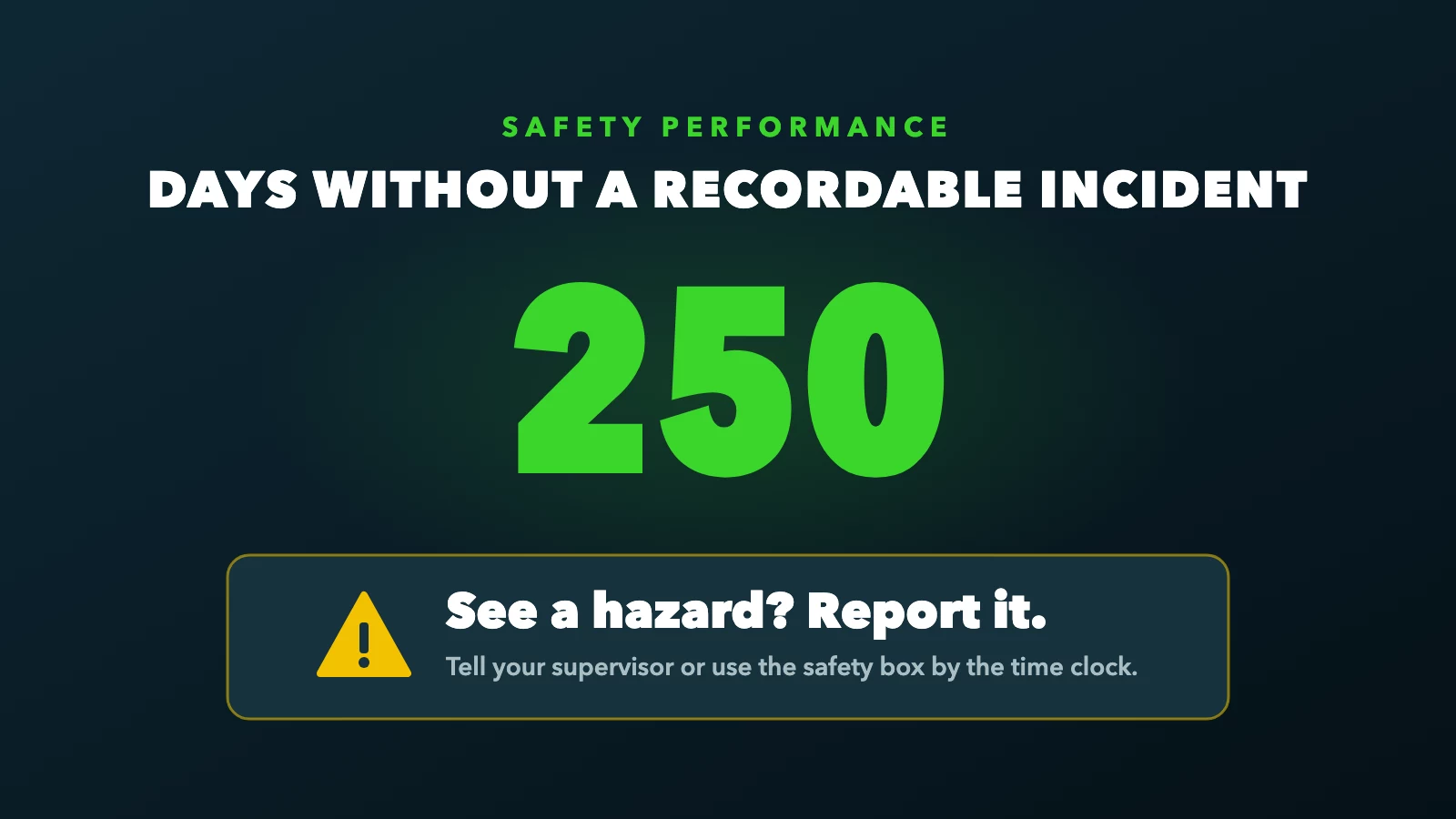
Metric first, then the number, then one short safety message
Use readable fonts and avoid placing text over busy backgrounds.
Green is commonly associated with safety, while red and yellow may be used for warnings and caution messages. Color should not be the only way important information is communicated.
For a screen viewed from a distance, test the design in the actual installation environment before publishing it across multiple locations. Make sure the number remains readable in the available lighting.
If the screen rotates between several slides, allow enough time for employees to read each message.
For many workplaces, a simple design with a large counter and one short safety reminder will be more effective than a complicated dashboard.
15. How Accident-Free Days Displays Support Multi-Location Businesses
Managing safety communication becomes more complicated as an organization grows.
A company operating one warehouse may only need one counter. A business with 10 facilities may need 10 different counters, separate incident records, and a consistent method for updating screens.
Digital signage can help centralize the content distribution process. A corporate safety manager can create approved safety templates while local managers maintain facility-specific metrics.
For example, a company could have:
| Facility | Illustrative accident-free days |
|---|---|
| Warehouse A | 145 |
| Warehouse B | 82 |
| Manufacturing Plant C | 310 |
| Distribution Center D | 57 |
Each location would display its own count while sharing the same company-wide safety message. This approach allows businesses to maintain consistent branding without presenting misleading consolidated numbers.
Organizations should also decide whether they want separate counters for departments, shifts, or entire facilities. Whatever structure they choose, the reporting criteria should be documented and applied consistently.
16. How to Set Up Affordable Safety Displays With Billiie
Businesses interested in digital accident-free days displays do not necessarily need to invest in expensive specialized signage hardware.
If the organization already owns compatible televisions, those screens may be reused to display safety graphics.
Billiie is a digital signage platform designed to help businesses display images, videos, announcements, and other visual content on compatible screens.
Rather than relying on USB drives to change content, users can upload designs and manage what appears on their connected televisions.
What can businesses do with Billiie?
Billiie can be used to:
Upload custom accident-free days graphics.
Display workplace safety reminders and announcements.
Schedule approved safety content.
Assign different content to different screens.
Manage multiple compatible televisions from one dashboard.
Replace displayed designs remotely when information changes.
For a business with several warehouses or employee areas, this provides a practical way to distribute workplace safety content.
Billiie's pricing (your first screen free, forever, then 10 screens for $10 a month) may also appeal to organizations looking for a lower-cost alternative to more expensive digital signage subscriptions.
Businesses should remember that Billiie is a content display and management platform. A dedicated automatic safety counter, live incident database integration, or automatic reset function should not be assumed to be included.
If your organization wants to display a manually maintained accident-free days graphic alongside other safety content, digital signage can be a straightforward starting point.
Visit Billiie.co to learn more about setting up your screens.
17. Frequently Asked Questions About Accident-Free Days Displays
What does an accident-free days display mean?
It shows the number of consecutive days a workplace has operated without an incident that meets the organization's defined counting criteria. The metric may track recordable incidents, lost-time injuries, or another specified category.
Are accident-free days displays required by OSHA?
No. OSHA does not generally require employers to install these displays. However, covered employers may have separate obligations to record and report certain workplace injuries and illnesses.
How do you calculate days without an accident?
Start with the date of the most recent qualifying incident and calculate the elapsed calendar days according to the organization's documented counting policy. The organization should specify whether the incident date is day zero and how the count is maintained.
What happens when an accident occurs?
If the incident meets the counter's defined criteria, the number is reset according to the established policy. The incident should also be documented and handled through the organization's normal reporting and investigation procedures.
Can I display accident-free days on a regular TV?
Yes. A compatible TV or monitor can show a custom safety graphic using digital signage software. An automatic counter requires additional functionality or an external update process.
What is the difference between a digital safety counter and digital signage?
A digital safety counter is specifically designed to show a safety-related number or metric. Digital signage is a broader content display system that can show safety counters, announcements, images, videos, and other communications.
Can I use one account for multiple safety displays?
Many digital signage platforms support multiple screens. Billiie, for example, allows businesses to manage compatible screens from a central dashboard and assign content to individual displays.
Can accident-free days displays help prevent workplace injuries?
They can support safety awareness and communication, but a display alone does not establish that injuries will decrease. Effective injury prevention depends on identifying hazards, implementing appropriate controls, training employees, and encouraging accurate reporting.
What is the best screen size for an accident-free days display?
The best size depends on the installation location and viewing distance. A 43-inch or 55-inch television can be suitable for many indoor workplace communication areas, while larger or specialized displays may be appropriate for other environments.
How often should an accident-free days counter be updated?
The displayed count should remain accurate according to the organization's counting policy. A manually maintained counter may require daily updates, while a dedicated automated system can increment the count without daily intervention.
18. Final Thoughts: Is an Accident-Free Days Display Worth It?
An accident-free days display can be a useful addition to a workplace safety communication program.
It makes a defined safety metric visible, provides opportunities to reinforce preventive practices, and helps employees stay informed about workplace safety priorities.
For businesses operating warehouses, manufacturing facilities, construction sites, or multiple locations, a digital display offers additional flexibility. Instead of relying entirely on a traditional sign, organizations can use compatible televisions to communicate accident-free day counts, safety reminders, training schedules, and company announcements.
The most important consideration is how the display is used. A high accident-free day count should never become more important than honest incident reporting, hazard identification, or employee well-being.
When combined with an effective safety program, a clear and accurate display can help reinforce a workplace culture focused on prevention.
And for businesses that want to modernize their safety communication without purchasing expensive specialized hardware, affordable digital signage offers another option.


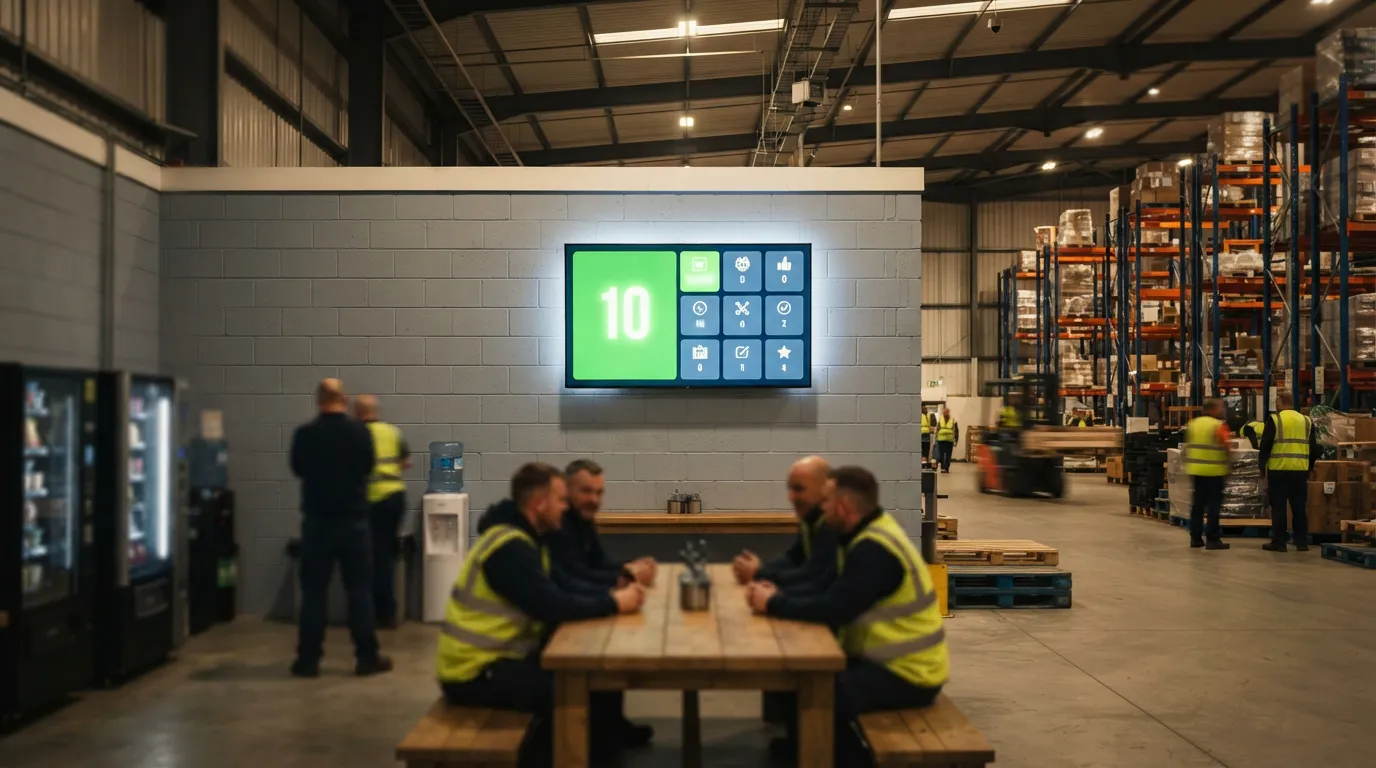
Ready to bring Billiie to your business?
Manage your screens, content, and locations from one simple dashboard.
No commercial signage hardware neededPowered by Billiie