Turn the TVs You Already Own Into Advertising Screens
Promote drinks, snacks, coffee, daily specials and more with Billiie. Update your screens remotely, schedule promotions and manage everything from one simple dashboard.
Works with compatible Amazon Fire TV and Android TV devices. No expensive proprietary signage hardware required.
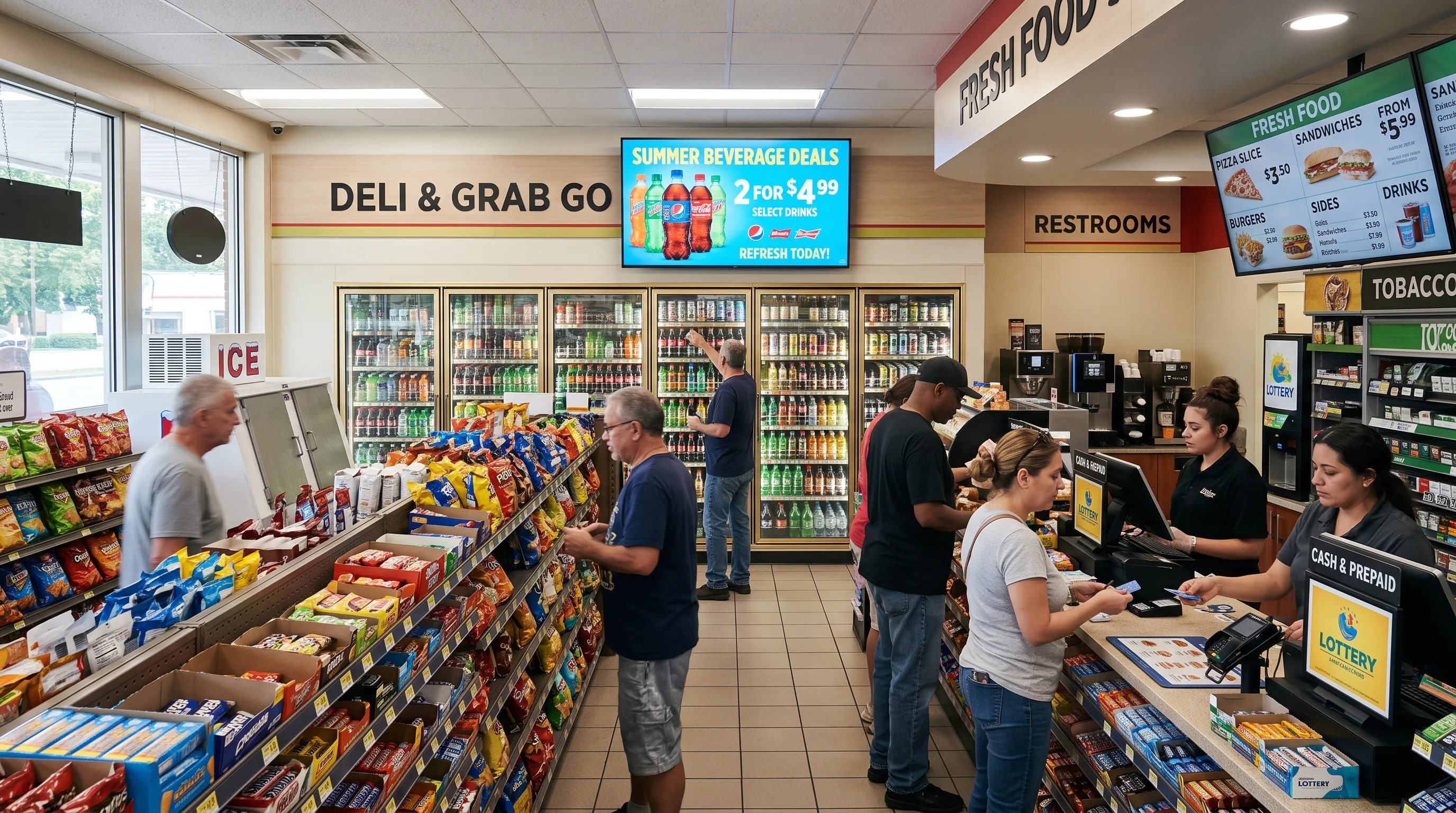
Your Store. Your Screens. Your Promotions.
Your convenience store has hundreds of products worth promoting. Why rely on printed posters and outdated ads? Billiie turns ordinary TVs into eye-catching displays that help customers discover your products and special offers.
What can you display?
- Cold drink & beverage specials
- Chips, candy & snack deals
- Coffee & breakfast offers
- Sandwiches & prepared food menus
- New arrivals & featured products
- Seasonal & limited-time sales
- Local business advertisements
One screen can rotate through multiple promotions throughout the day.
Everything You Need to Manage Your Store's Screens
Update From Anywhere
No more USB drives. Upload a new promotion, change an ad or replace a menu remotely.
Schedule Your Promotions
Running a weekend sale or breakfast special? Schedule it in advance and choose when it appears.
Manage Multiple Screens
Coffee specials by the coffee station, snacks by checkout, cold drinks by the coolers: different content on every TV.
Use the TVs You Already Own
No need to replace compatible TVs. A supported Fire TV or Android TV device turns them into digital signage.
Monitor Your Screens
Check screen connectivity and spot displays that need attention without visiting every location.
Add Your Team
Let authorized team members help manage screens and update promotional content.
Digital Signage for Every Corner of Your Store
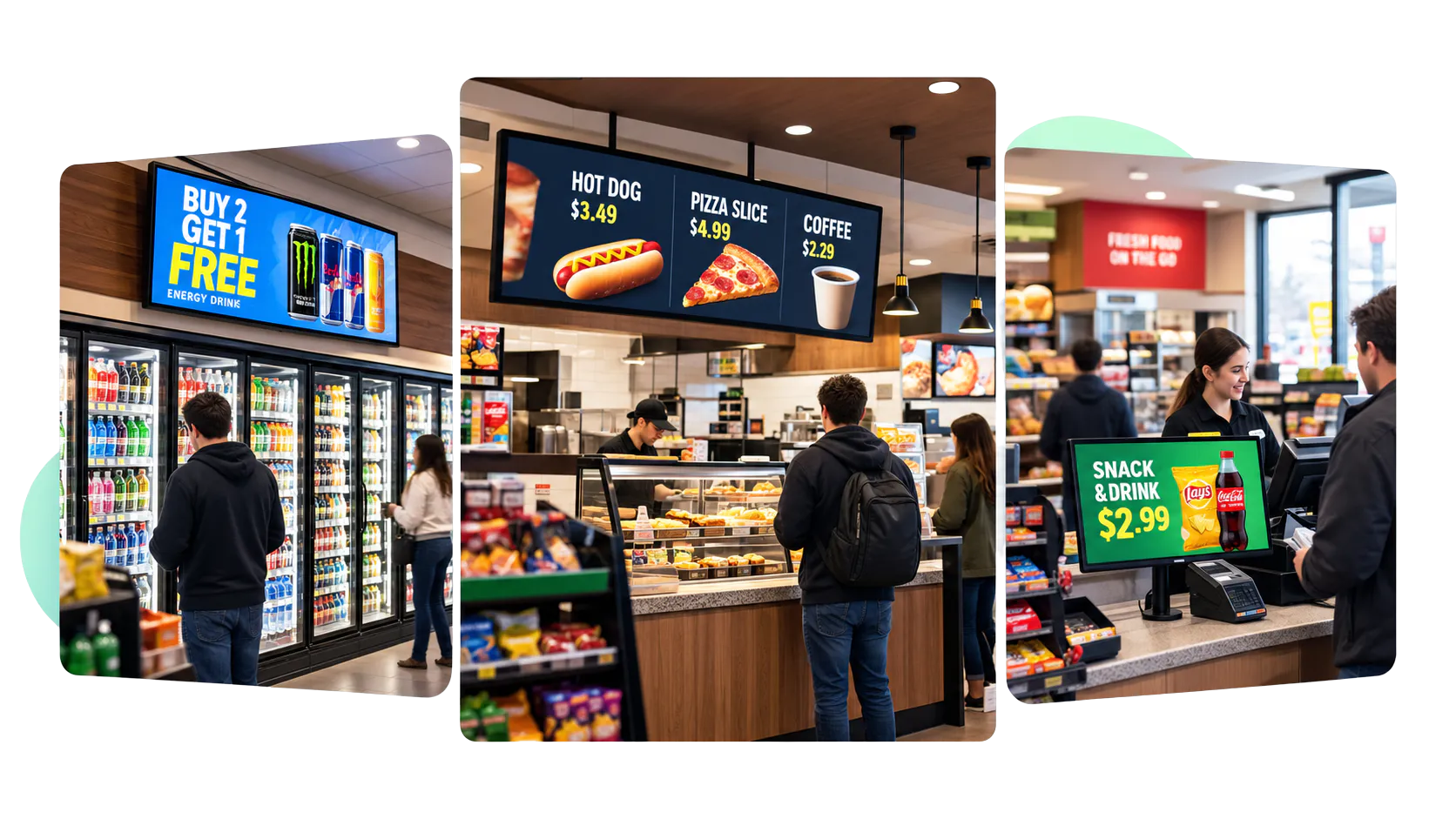
Checkout Counter
Impulse buys, snack deals, new products and limited-time offers while customers wait to pay.
Beverage Coolers
Cold drinks, energy beverages, bottled water and seasonal specials.
Coffee & Food Stations
Breakfast menus, coffee prices, sandwich combos and prepared food promotions.
Store Entrance
Welcome customers with new arrivals, featured products and upcoming promotions.
Multiple Locations
Manage promotions across all your stores without updating each TV by hand.
Stop Overpaying for Digital Signage
Start with your first screen free, forever. When you're ready for more, get 10 screens for just $10 a month.
- No contracts. Cancel anytime
- No expensive proprietary media players
- Every feature included: scheduling, multiple screens, team access
TVs, compatible streaming devices, installation and optional design services are not included. The free screen shows a small Billiie banner.
It's Time for an Upgrade
With USB signage, changing one promotion means walking to every TV, swapping a drive and reconnecting everything. With Billiie, you upload once and pick the screens.
| Feature | USB drives | Billiie |
|---|---|---|
| Remote content updates | ||
| Schedule promotions | Limited | |
| Manage multiple TVs | Manual | |
| Upload videos and images | ||
| Manage multiple locations | Difficult | |
| Check screen connectivity |
Make the switch and manage your screens without the hassle.
Have More Than One Convenience Store?
Managing promotions across stores shouldn't mean visiting every location. Whether you run two stores or 50, Billiie keeps every screen organized and up to date.
- Manage screens from one dashboard
- Show location-specific promotions
- Schedule campaigns in advance
- Assign team members to manage content
- Monitor screen connectivity
- Expand as you add locations
10 stores? 50 screens? One simple platform.
Your store. Your advertisers. Your revenue.
Turn Your Screens Into Advertising Space
Your screens can do more than promote your own products. If your store gets steady local foot traffic, you may be able to sell screen time to nearby businesses. Upload their ad designs and schedule them alongside your own promotions.
Advertising revenue depends on finding paying advertisers and is not guaranteed.
Get Started in Four Steps
Create your account
Sign up free at Billiie.co. Your first screen is on us.
Connect your TVs
Install the Billiie app on a compatible Fire TV or Android TV device and pair your screen.
Upload your promotions
Add your images, videos, menus and advertisements.
Go live
Assign content, schedule promotions and manage your screens remotely.
That's it. No complicated setup or expensive proprietary hardware.
Frequently Asked Questions
How much does convenience store digital signage cost?
Your first Billiie screen is free, forever. After that, you can get 10 screens for $10 a month. TVs, streaming devices, installation and optional design services are separate.
Can I use my existing TVs?
Yes, as long as your TVs or the streaming devices connected to them are compatible with Billiie.
Can I display different promotions on different screens?
Yes. You can assign different content to each screen.
Can I change promotions without visiting the store?
Yes. Upload and assign updated content remotely from your Billiie dashboard.
Can I schedule breakfast, lunch and evening promotions?
Yes. Billiie supports content scheduling, so you can plan promotions in advance.
Can I manage screens at several convenience stores?
Yes. Billiie lets you manage multiple screens and locations from one account.