Digital Signage for Dispensaries Made Simple
Display menus, brand promotions, and vendor content on your dispensary screens — and manage them all from one account, for $1/month per screen.
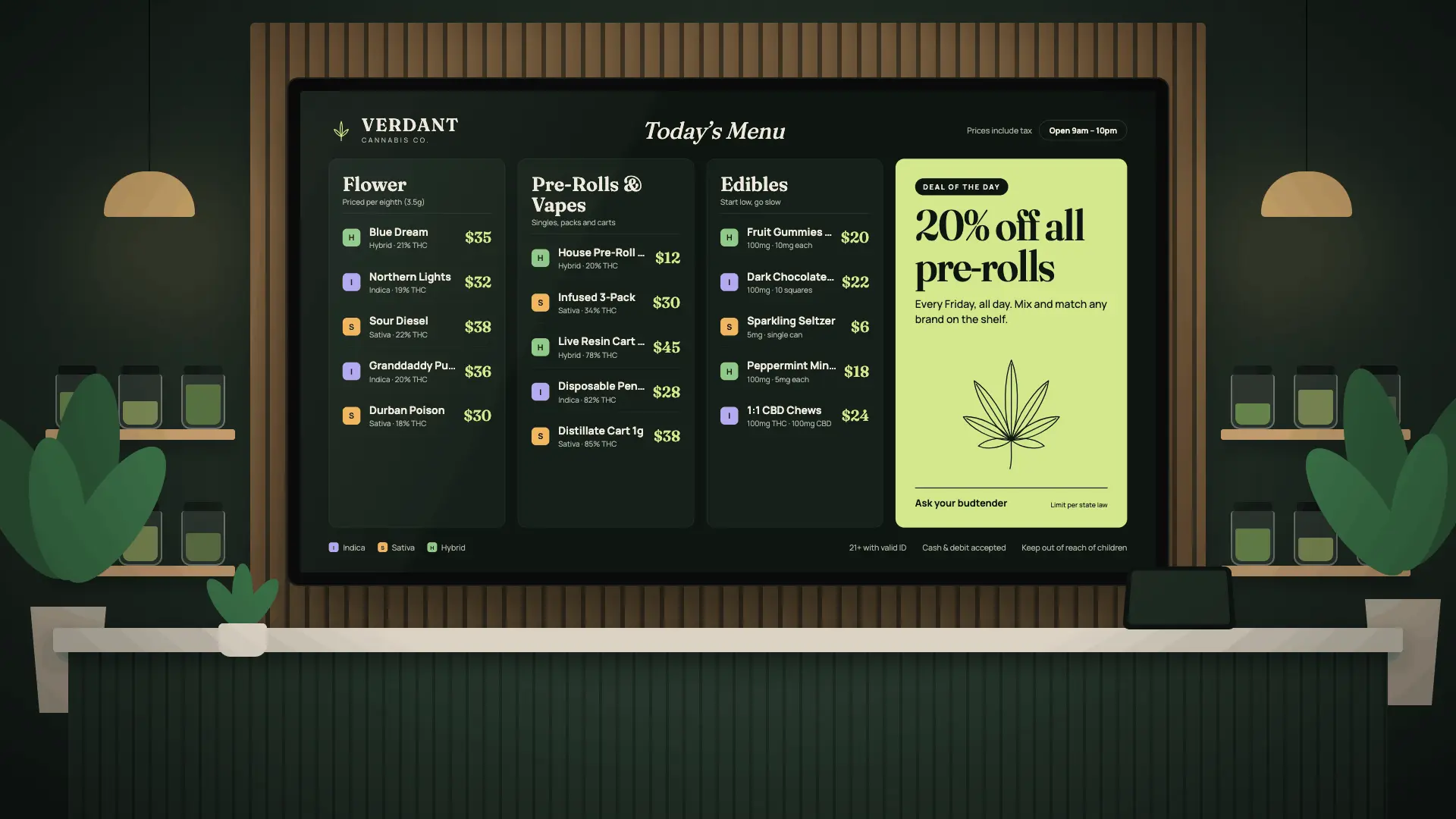
Dispensaries carry products from many different brands, and what needs attention can change quickly. New products arrive, promotions start, brands want more visibility, and customers need an easy way to see what's available.
Digital signage for dispensaries gives businesses a flexible way to display menus, product promotions, brand content, store information, and other visual content on TVs and digital screens.
Instead of relying only on printed posters and signs, dispensaries can upload finished images and videos, schedule when content appears, manage multiple screens remotely, and even give vendors direct access to manage content assigned to them.
Whether you operate one location or several, dispensary digital signage can help organize what's displayed throughout your stores.
What Is Digital Signage for Dispensaries?
Digital signage for cannabis dispensaries uses TVs or digital displays to communicate information visually inside a store.
Depending on the business, screens can be positioned behind the counter, near product displays, in waiting areas, at checkout, or throughout the sales floor.
Dispensaries can use screens to display:
- Digital menus
- Product categories
- Brand promotions
- New arrivals
- Store specials
- Educational content
- QR codes
- Customer information
- Store announcements
- Images and videos from vendors
Unlike a printed poster, digital content can be replaced without physically removing and installing new signage.
Create or receive the finished image or video, upload it to the appropriate screen, and it can be displayed digitally.
Digital Menu Boards for Dispensaries
One of the most common applications is digital menu boards for dispensaries.
Instead of trying to place every category on one printed board, dispensaries can separate information across multiple screens.
For example, different dispensary TV menu boards could be dedicated to different product categories or areas of the store.
This can make a large menu easier to organize while giving customers larger, more readable displays.
A dispensary digital menu can also be replaced when the business has a new finished version ready. The updated menu image is uploaded to the screen instead of requiring a completely new physical sign.
Billiie does not require the menu itself to be designed inside the platform. Dispensaries can continue using their preferred designer or design software and upload the finished images or videos to Billiie.
Give Vendors Direct Access to Their Screen Content
Dispensaries often work with many brands and vendors.
Those vendors may want to promote a new product, introduce a new variety, advertise a special, or replace an older promotion with something new.
Normally, that creates more work for the dispensary. A vendor sends content to the store, someone at the store receives it, finds the correct screen, uploads it, and makes sure the previous promotion is replaced.
Let Vendors Upload Their Own Product Content
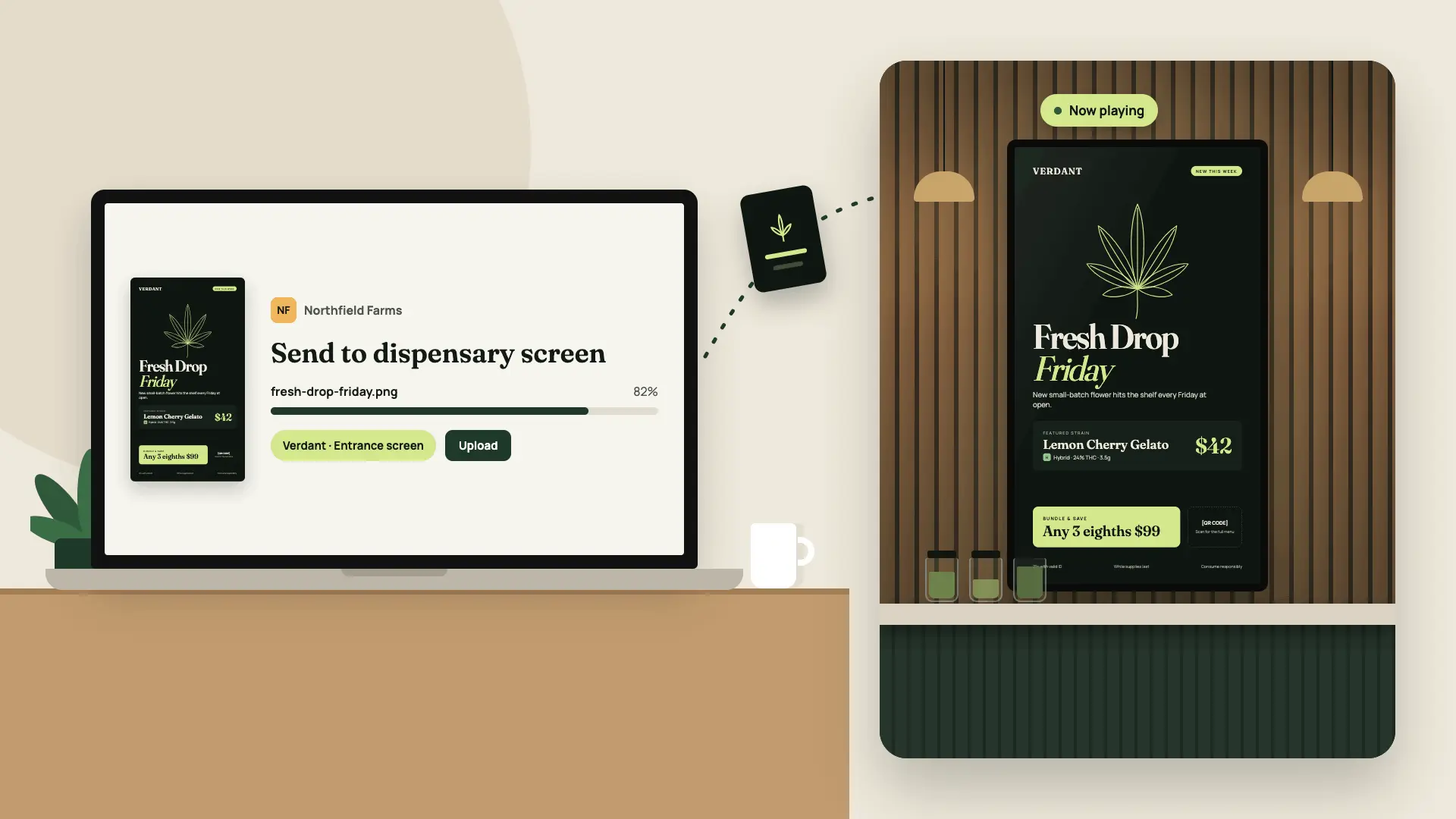
Billiie can simplify this workflow by allowing a screen to be assigned to another person to manage.
A dispensary can give a vendor direct access to the screen assigned to that vendor. The vendor can then upload its own finished product images or promotional content instead of asking dispensary staff to handle every upload.
The dispensary's other screens remain separate while the vendor manages the screen it has been given access to.
For stores working with multiple brands, this can make cannabis dispensary digital signage easier for both the dispensary and its vendors to manage.
Use Dispensary Digital Signage to Give Brands More Visibility
A dispensary screen doesn't have to show a menu all day.
Screens can also highlight individual brands and products.
A vendor launching a new product could upload a professionally designed promotional image. Another brand could use its assigned screen to showcase several products.
This creates opportunities to use cannabis dispensary digital signage throughout the customer experience instead of limiting screens to dispensary menu boards behind the counter.
Schedule Dispensary Digital Signage Content Ahead of Time
Not every promotion should stay on a screen indefinitely.
With digital signage software for dispensaries, businesses can schedule content and set end dates.
For example, if a promotion should run for a limited period, the content can be scheduled accordingly rather than relying on someone to remember to remove it manually.
Scheduling can also help dispensaries display different content at different times.
Rather than treating each TV as a static sign, screens become flexible displays that can change according to the store's needs.
Manage Multiple Dispensary Digital Displays
A small dispensary may begin with one or two displays, while a larger store may use screens throughout the location.
With Billiie, each screen can be organized and managed individually.
For example:
- Screen 1Store Menu
- Screen 2New Products
- Screen 3Vendor
- Screen 4Store Specials
- Screen 5Customer Information
Assign Screens to Staff Members or Vendors
The store can decide what each display is used for and who is responsible for managing it.
Instead of treating every TV as an independent setup, the business can manage its digital signage screens for dispensaries from one account while assigning selected screens to staff members or vendors.
Use Digital Signage Screens for Dispensaries Throughout Your Store
Cannabis digital menu boards are only one potential use for screens.
A screen near the entrance could display store information or current promotions. Screens near product areas could highlight specific brands. Checkout screens could feature additional products or customer information.
These dispensary promotional screens give businesses another way to communicate with customers throughout the store.
Digital screens can also make replacing outdated promotional materials easier. Instead of removing a poster and installing another one, the finished replacement content can simply be uploaded.
What Should You Look for in Digital Signage Software for Dispensaries?
A complicated system isn't necessarily a better system.
When comparing digital signage software for dispensaries, consider what your employees will actually need to do every day.
Useful capabilities include:
- Uploading finished images
- Uploading videos
- Managing multiple screens
- Scheduling content
- Setting content end dates
- Managing screens remotely
- Assigning screens to team members
- Giving vendors access to assigned screens
Vendor access can be especially useful for dispensaries that work with many outside brands.
Digital Signage for Cannabis Dispensaries With Multiple Locations
The same approach can work for a single independent dispensary or a business operating several locations.
A single store may only need a few dispensary menu boards and promotional screens. A multi-location operation may need dozens of displays across different stores.
A centralized digital signage system for dispensaries can make it easier to know which screen belongs to which location and what each display is being used for.
Businesses can start with the screens they need today and add additional displays as they grow.
How Much Does Digital Signage for Dispensaries Cost?
The total cost of digital signage for dispensaries depends on the number of TVs, mounting equipment, installation, compatible devices, content design, and software.
Software pricing becomes particularly important for stores that want multiple screens.
Billiie Digital Signage is $1 per month per screen — every screen, including your first.
per month
- 1 screen$1/mo
- 10 screens$10/mo
- 100 screens$100/mo
- Includes your first screen
- No long-term contract
- Cancel anytime
That can make Billiie an affordable digital signage for dispensaries option for businesses that want to add menu screens, promotional displays, and other screens without paying the same full software price for every additional TV.
Get Started With Digital Signage for Your Dispensary
Billiie is built to make managing digital screens simple.
Create your menu or promotional content with the designer or software of your choice, then upload the finished images or videos to Billiie.
From there, you can organize screens, schedule content, set end dates, manage screens remotely, and assign screens to team members.
You can also give vendors access to their assigned screens, allowing them to upload their own finished product promotions directly without requiring your employees to manage every upload.
Whether you need digital menus for dispensaries, cannabis digital menu boards, dispensary TV menu boards, vendor promotional screens, or a larger dispensary digital signage setup, you can start small and add screens as your business grows.
Billiie Digital Signage is $1/month per screen, including your first.
Affordable. Digital. Simple.
Just $1/month per screen — every screen, including your first.
Start Your Dispensary Digital Signage