Digital Signage for Gas Stations Made Simple
Affordable digital signage for gas stations. Show specials, products, and menus on your TVs, schedule content, and manage screens remotely with Billiie.
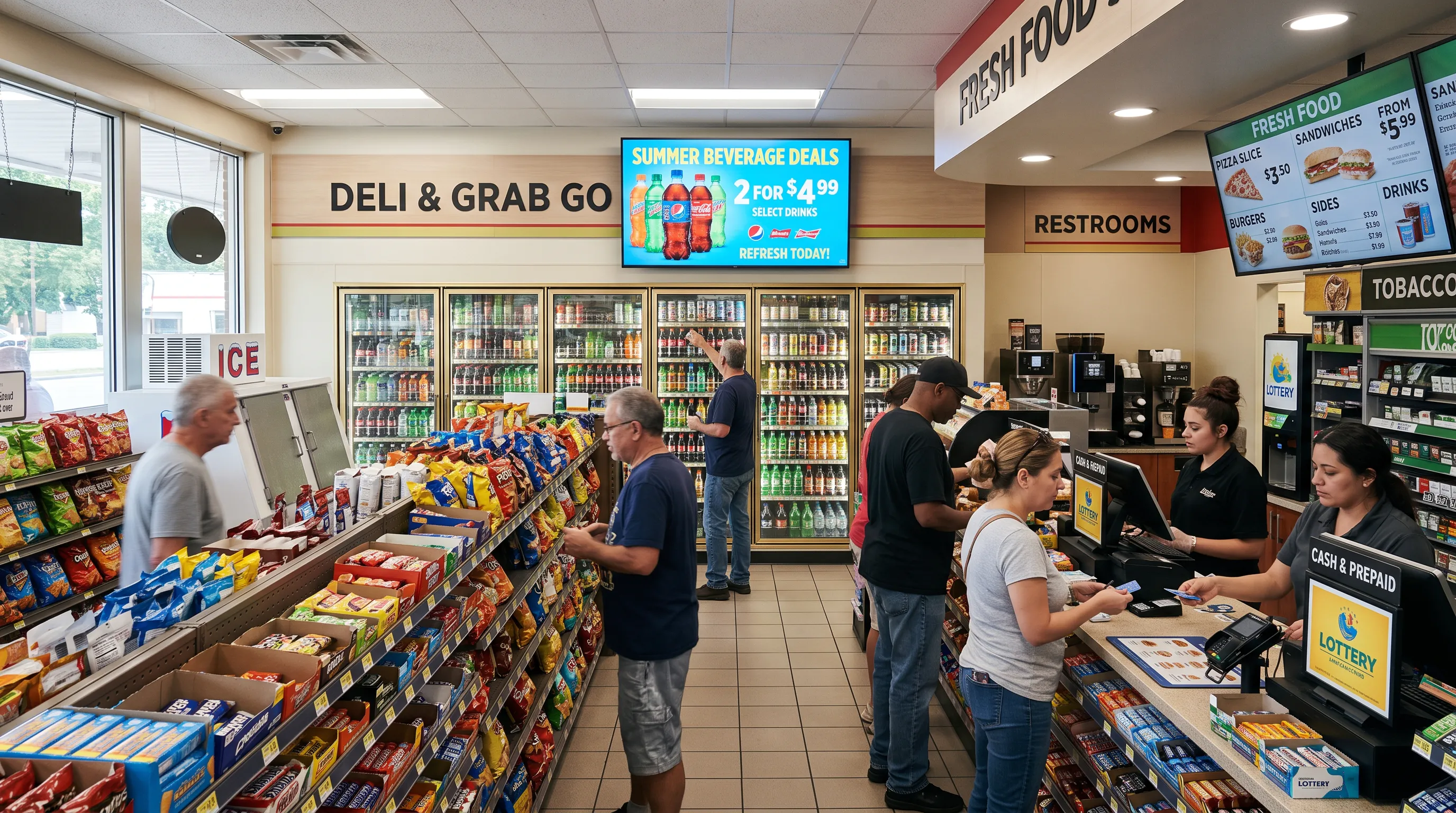
A customer walks in to pay for gas and grabs a drink. On the way to the register, they pass a freezer full of ice cream, a coffee station, and a hot food counter. You have only a few seconds to show them what is on special today. A paper sign taped to the door may be easy to miss. A well-placed screen can put the message where the customer is already looking.
That is the practical value of digital signage for gas stations. It helps you use the TVs around your store to show finished images and videos for specials, menus, new products, and useful announcements. With Billiie, you can upload content, choose which screen shows it, schedule when it plays, and manage your screens remotely. You do not need to stand in front of every TV with a flash drive whenever a promotion changes.
This guide walks through where screens can go, what to show on them, and how to keep the setup manageable whether you operate one station or several.
Digital Signage Solutions for Gas Stations: Start With the Customer's Path
Before you buy a TV, take a slow walk through your store as if you were a customer. Where do you stop? What do you look at while waiting for coffee, food, or the cashier? Which items need an explanation, and which specials change often enough that a permanent printed sign becomes a chore?
A good gas station digital signage plan starts with those answers. A screen near the entrance can introduce today's offer. A screen above the drink freezers can point out a beverage special. A menu board near the prepared-food counter can make lunch choices easier to see. A small display at the checkout can highlight an add-on while customers wait. Each placement has a different job, so each screen should have a message that makes sense in that spot.
Billiie gives you a way to run those messages on supported Fire TV and Android TV devices. You upload finished images or videos to the platform and assign content to your screens. Billiie does not edit the words or prices inside an image; if a price changes, update the finished image and upload the replacement. That simple habit also helps you double-check what customers will actually see.
Where to Put Digital Screens in a Gas Station
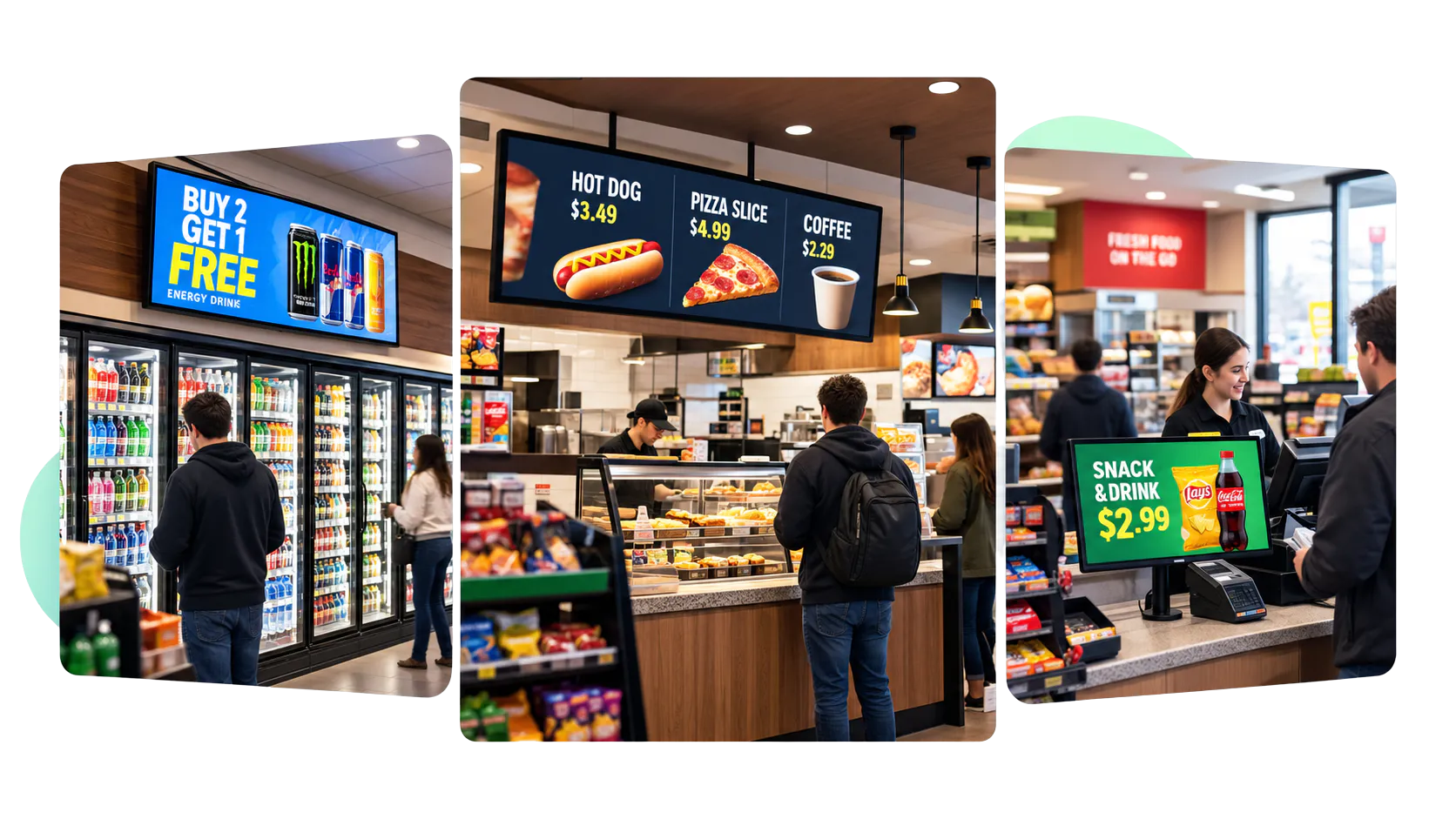
Above drink freezers. Customers looking at a wall of beverages are already making a choice. Use a nearby screen to feature a cold drink, a bundle, or a new arrival. Keep the words large and the offer brief enough to understand at a glance. Mount the TV securely and make sure it does not block product labels, doors, or access for restocking.
Near the coffee station. Breakfast offers, coffee sizes, pastries, and early-morning combos belong where customers are deciding what to pick up. Schedule one finished graphic for the morning and another for the afternoon if the offer changes. A screen here can also point people toward the hot food counter.
Above a deli or hot food counter. Digital menu boards for gas stations work best when customers can read item names and prices while standing in line. Use generous type, strong contrast, and fewer items per slide. If a full menu becomes cramped, split it into categories across multiple screens or slides. Show photos only when they help customers decide; they should not crowd out the menu text.
At the checkout. The checkout area is a natural place for a quick reminder about a snack, seasonal item, or store service. Keep this screen focused on one message at a time. It should support the cashier's work, not make the counter feel visually cluttered.
Near the entrance or exit. A welcome screen can show a current in-store special, a service available on site, or a message customers should see before walking the aisles. An exit-facing screen may work better for a return-visit offer. Check glare and viewing angles at different times of day before deciding where to mount it.
In a waiting area. If your location includes a car wash, service bay, or seating area, a screen can show store specials and relevant information while people wait. Match the message to the audience and avoid making them read a dense slide from across the room.
Outdoor or pump-side displays require hardware suitable for their environment. A regular indoor TV should not be treated as an outdoor screen. Billiie is a software option for compatible devices; choose the physical display and enclosure for the actual location, weather exposure, and operating conditions.
Promote Products and Specials Without Reprinting Signs
Running a gas station convenience store means changing priorities throughout the week. You may want to feature a new drink on Monday, a lunch combo on Friday, and a seasonal product when the weather changes. Gas station promotional screens give you a place to rotate those messages without replacing paper signs in every aisle.
Start with the offers that customers can act on immediately. Show the product clearly, state the special plainly, and tell people where to find it if that is not obvious. A screen above the freezer might say “Cold drinks this way” with a finished graphic for the current deal. A food counter screen could show today's sandwich special. A checkout screen might highlight a packaged snack beside the register.
Billiie lets you schedule uploaded content by time and date, including an end date for an image. That is useful for a breakfast item that should disappear after morning hours or a limited special that should stop at the end of the week. Make the finished creative before uploading it, then preview it on the real TV. A design that looks clear on a laptop may be hard to read from ten feet away.
Digital Signage for Gas Station Convenience Stores
The convenience store is where digital displays for gas stations can do more than fill empty wall space. They can organize information around the decisions customers make: what to eat, what to drink, where to find a product, and what is worth trying today.
A store with a food counter might dedicate one screen to the menu and another to a daily special. A location without prepared food may get more value from screens near coolers, coffee, or checkout. A store with many aisles can use a split-screen template to show an aisle message beside a promotion. Billiie offers full-screen and split-screen layout options, so you can choose a format that fits the message rather than forcing the same design onto every TV.
For a menu, prioritize readability. Group items into familiar categories, leave space around prices, and avoid changing slides so quickly that someone loses their place. For a product promotion, use a clear image and a short line. For a store announcement, make the instruction direct. The best convenience store digital signage often looks simple because it was designed for someone who is walking, waiting, or ordering—not sitting down to read an article.
Update Gas Station TV Screens From Anywhere
If you manage the store yourself, you know what happens when a promotion changes after you have already left. Someone needs the new sign, the old one is still on the wall, and a customer asks which price is right. With Billiie, you can upload a replacement finished image or video and manage your assigned screens remotely from your dashboard. Screen management is available on Android and iPhone as well.
That does not mean changing text inside an existing image in Billiie. Prepare the updated creative first, check the price and dates, upload it, and select where it should play. This is especially helpful when you want the same promotion on several screens or need to remove an expired message without visiting each TV.
- 1Check which offers are ending soon.
- 2Prepare and proofread the next set of finished graphics.
- 3Upload them to Billiie and set the appropriate schedule.
- 4Confirm the correct content is assigned to the correct screens.
- 5Check the physical TVs during a store visit to make sure they are on and readable.
Assign a Screen to a Manager Without Giving Up the Whole Store
When you have more than one employee helping with displays, ownership matters. The person running the deli knows when a sandwich special has sold out. The manager at the station knows which store-wide promotion should be visible. Having one person handle every update can slow both of them down.
Billiie lets you assign a screen to a team member to manage. You might assign the deli menu screen to the food counter manager and keep the checkout promotion under the store manager. This gives each person a clear job. Before assigning access, decide who prepares the finished images, who approves prices, and who is responsible for removing expired offers.
Manage Multiple Gas Station Screens From One Dashboard
One screen is a good start, but a larger station may have different needs at the entrance, freezers, food counter, and register. With Billiie, those TVs can be managed from one dashboard rather than treated as separate projects.
Name each screen by location and purpose. Then choose the content that belongs there. You can use a full-screen message where one offer needs attention, or a split layout where a menu and a supporting message can share a display. Assign a screen to the right team member if someone else is responsible for it. Review device status when you need to check whether a screen appears active.
- Screen 1Entrance
- Screen 2Drink Freezers
- Screen 3Coffee Station
- Screen 4Food Counter
- Screen 5Checkout
At $1 per screen per month, those five Billiie screens would cost $5 per month for the signage software. The display hardware, mounting, internet service, and any installation or design work are separate. Pricing examples here describe Billiie's screen subscription, not the total cost of a store installation.
Affordable Digital Signage Software for Gas Stations
For many independent operators, the obstacle is not imagining what screens could do. It is deciding whether the ongoing cost makes sense. Billiie keeps the software price straightforward: $1 per screen per month, including the first screen. One screen is $1 per month, 10 screens are $10 per month, and 100 screens are $100 per month. No long-term contract is required; you can cancel anytime.
per month
- 1 screen$1/mo
- 10 screens$10/mo
- 100 screens$100/mo
- Includes your first screen
- No long-term contract
- Cancel anytime
That makes it reasonable to start small. Test one screen at a point where it can solve a real communication problem. If customers keep asking for the menu, try a readable digital menu board. If a freezer special is easy to overlook, test a promotion above the cooler. Pay attention to what staff hear from customers and whether the screen reduces repeated questions or brings attention to the intended offer.
The $1 price is for Billiie's digital signage software per screen. You still need a compatible device, a TV or display, power, internet access for setup and updates, and content you have prepared to upload. Billiie supports Fire TV and Android TV/Google Play devices; Samsung TV app support is coming soon. If you already have a suitable TV with HDMI, a supported streaming device may let you put it to work. Check that Billiie is available on the device you intend to use before buying hardware for the project.
Ready to try one screen? Create your Billiie account and start with the spot where your customers need information most.
Digital Signage for Multiple Gas Station Locations
If you operate several stations, consistency becomes harder. One location may have a deli, another may only sell packaged food, and a third may run different local promotions. Digital signage for multiple gas station locations should let you keep the brand recognizable without forcing every store to show the same message.
Create a clear screen naming system for each location, such as “Queens 01 — Checkout” or “Long Island 02 — Cooler.” Keep a list of who manages each screen. Prepare shared graphics for offers that genuinely apply everywhere, then make location-specific versions when inventory or prices differ. Do not send the same price to every store unless it is correct in every store.
Billiie lets you manage your screens remotely and assign individual screens to team members. A local manager can take responsibility for the content on an assigned screen, while you keep an overview of the screens in your account. If your operations require separate customer or location accounts, set up that account structure deliberately rather than assuming every screen belongs in one shared login.
Common Questions Before You Start
Can I use a TV I already own?
Often, yes. If the TV has a working HDMI input, a supported Fire TV or Android TV device may let you use it for Billiie. Confirm the app is available on the device, then check that the screen is bright enough and readable from where customers will stand.
Can different screens show different specials?
Yes. Give each screen a clear name and assign the appropriate uploaded content. That way, the cooler screen can feature a drink while the food counter shows a menu. You can also schedule a special to start and end on particular dates.
Does Billiie create the menu graphic for me?
Billiie displays the finished images and videos you upload. Prepare the design and proofread the prices before uploading it. If the information changes, upload an updated finished file.
Give Every Screen a Purpose
A gas station has more opportunities to communicate than the pump and the checkout counter. The drink freezers, coffee station, food counter, entrance, and waiting area are all places where customers make small decisions. The right screen in the right place can make a special easier to notice, a menu easier to read, or a store easier to navigate.
Start with one clear use case and one compatible screen. Prepare content customers can understand quickly. Use Billiie to schedule it, manage it from anywhere, and give a manager responsibility for a screen when that helps the store run smoothly. Then expand only where another display has a useful job.
At $1 per screen per month, you can try digital signage for gas stations without committing to a large software bill. Create your Billiie account and put your first screen where it can help customers today.
Affordable. Digital. Simple.
Just $1/month per screen — every screen, including your first.
Start Your Gas Station Digital Signage