What Should an Accident-Free Days Display Include?
What should an accident-free days display include?
An accident-free days display should show the number of days since the last qualifying workplace incident, the date of that incident, and the safety information employees need to stay informed. An effective display also includes safety goals, reporting reminders, emergency contacts, and supporting safety metrics.
Whether you're managing a warehouse, manufacturing facility, construction site, or distribution center, an accident-free days display can help communicate safety performance and reinforce workplace awareness. (New to the idea? Start with our guide to what an accident-free days display is and how it works.)
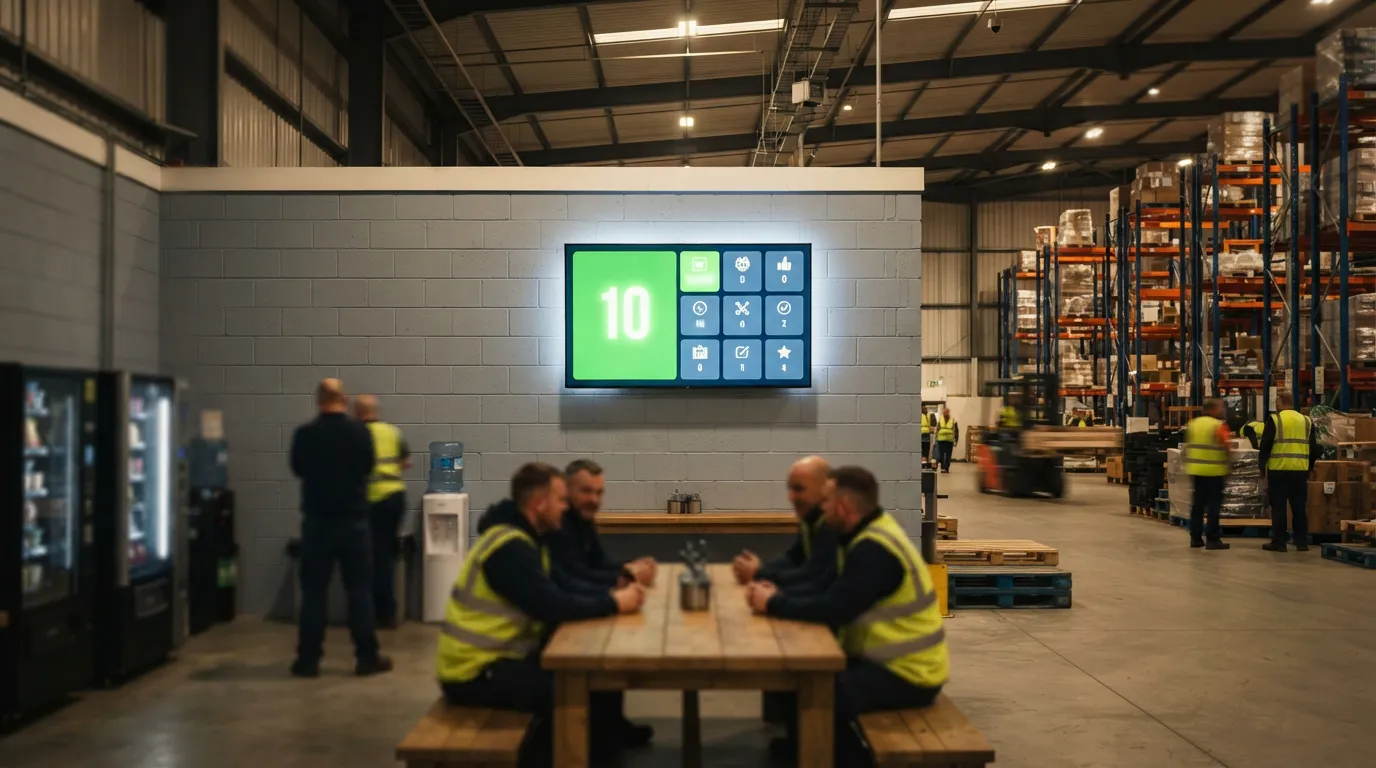
Modern digital signage also makes it possible to display safety information on compatible TVs without purchasing a dedicated electronic safety scoreboard.
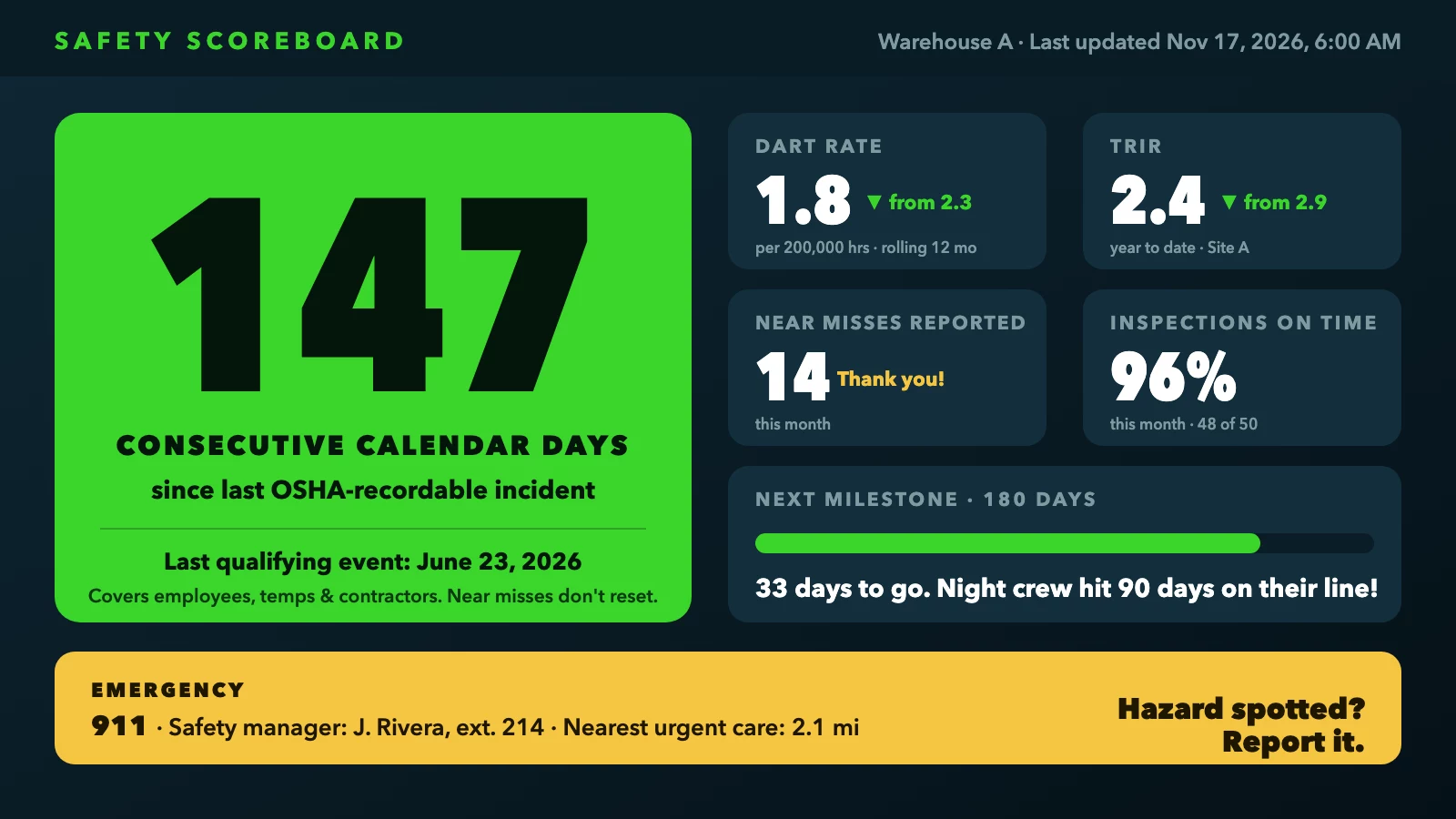
Illustrative safety scoreboard with every element covered in this guide
Key takeaways
Document the definition first: A written incident definition determines what resets the counter. Without it, the number is unverifiable and potentially misleading.
Pair the counter with supporting metrics: TRIR, DART rate, near-miss counts and inspection completion rates can help reduce the false confidence a long streak may create.
OSHA does not require the display: Federal OSHA requires the Job Safety and Health poster and Form 300A posting; an accident-free days sign is voluntary.
Retaliation risk is real: Any display that pressures workers not to "break" the streak can conflict with OSHA's anti-retaliation requirements.
Placement and legibility are non-negotiable: The day count must be readable in a single glance at a normal passing distance, in actual worksite lighting.
Digital displays simplify maintenance: Remote updates, scheduled content rotation and split-screen layouts make a digital safety scoreboard easier to keep current than a physical flip board.
What are the benefits of displaying accident-free days?
Displaying accident-free days helps organizations communicate safety performance, recognize workplace milestones, and keep safety awareness visible throughout the workday. When combined with clear reporting policies and other safety indicators, these displays can support a more transparent workplace safety program.
The main benefits include:
Increased safety awareness: Employees regularly see reminders about workplace safety.
Visible safety performance: Teams can monitor the number of days since the last qualifying incident.
Employee recognition: Businesses can acknowledge safe working practices and proactive safety contributions.
Improved communication: Safety messages, emergency contacts and announcements can appear in one location.
Greater transparency: Employees can see how safety performance is measured and updated.
Stronger reporting culture: Displays can encourage hazard identification and near-miss reporting when designed appropriately.
An accident-free streak should never be used to discourage workers from reporting injuries. Recognition should emphasize safe behavior and accurate reporting rather than rewarding employees solely for maintaining a high number.
What counts as a qualifying incident, and who decides?
Defining the reset threshold before you post the number
The counter is meaningless without a written, documented definition of what resets it. Common choices include any OSHA-recordable injury or illness, a lost-time case only, or a serious-injury-only threshold. Each option produces a very different number, and mixing them without disclosure misleads workers. OSHA-recordable cases generally include death, loss of consciousness, days away from work, restricted work or job transfer, medical treatment beyond first aid, and certain diagnosed conditions.
Calling the board "accident-free days" while silently excluding first-aid cases, near misses or occupational illnesses creates a credibility problem the moment a worker notices the gap. A practical written definition reads something like this:
"Consecutive calendar days since the last work-related OSHA-recordable injury or illness involving any employee, temporary worker, or contractor performing work at or for [site name]. Near misses and first-aid-only cases do not reset the counter; all incidents remain subject to reporting and investigation."
That language is transparent about what it covers and what it does not.
The policy must also define the counting method: whether the incident day counts as day zero, whether the count uses calendar days or scheduled workdays, who verifies the qualifying event, and who is authorized to update the display. Use the same rule every single time. Keep in mind that a board covering contractors or a narrower incident category may legitimately differ from an establishment's OSHA log, so reconcile the displayed number with the relevant incident records and document any differences clearly.
Who is covered by the counter
Name the scope of workers the count applies to explicitly: full-time employees, part-time and seasonal staff, temporary workers, agency staff, and contractors performing work at or for the site. For OSHA recordkeeping purposes, responsibility for recording a temporary worker's case generally depends on which employer supervises that worker's day-to-day activities. The scope your display uses can be broader or narrower than your OSHA log, but whatever scope you choose, name it clearly. A vague scope creates disputes after an incident, particularly when a temporary worker or on-site contractor is involved.
Consider a multi-site operation where only the main warehouse counter is displayed to the broader workforce. Workers at every other location are seeing a number that does not represent their own site's record. The written policy should name the specific establishment, department or shift the counter represents so the number is never read as company-wide when it is not. Specificity here is not bureaucratic detail; it is what makes the number honest.
The core elements every injury-free days display needs
The day counter, scope label, and last-incident details
The largest element on the display is the live day count, but it must be paired immediately with a scope label and the date of the last qualifying event. A display that shows only "147" gives workers nothing to act on. One that reads "147 consecutive calendar days since last recordable incident, Warehouse A, last qualifying event: June 23, 2026" gives the full picture in a glance. Include a brief note identifying what the counter covers so there is no question about whether a near miss would have reset it.
The last qualifying incident date provides context that the day count alone cannot: it confirms what event the counter started from and helps workers verify the number independently. A separate last-updated timestamp serves a different purpose: it shows whether the display itself is current. Including both is a straightforward way to signal that the board is live and actively maintained. Assign one person as the designated updater, and for a digital display, verify that the schedule pushes a refresh at the start of each shift.
Supporting safety metrics that prevent false confidence
A days-without-incident streak alone can create complacency. Pair the counter with two or three supporting figures: the total recordable incident rate (TRIR) or DART rate for the current year, the number of near misses reported this month, and the percentage of safety inspections completed on schedule.
Lagging indicators: TRIR and DART reflect what has already happened.
Leading indicators: Near-miss reporting rates and inspection completion rates point toward whether conditions are being actively controlled.
Together, they provide context for whether a long streak reflects genuine risk reduction or a quieter period.
The DART rate counts OSHA-recordable cases involving days away from work, restricted work or job transfer. It is calculated as qualifying cases multiplied by 200,000, divided by hours worked, and expressed per 100 full-time employees. Display it clearly as a rate with the period and scope labeled, for example: DART Rate: 1.8 cases per 200,000 hours worked, rolling 12 months, Site A, data through Oct. 31, 2026. Show the prior-period rate alongside it so the trend is visible at a glance. Rotate supporting metrics on a digital display or list them below the counter on a physical board so the full safety picture stays in view.
Safety milestone goals, team recognition, and motivational messaging
Setting milestone targets that motivate without pressuring
Standard milestone intervals used in workplaces are 30, 60, 90, 180 and 365 days, followed by annual milestones at two and five years. Display the next upcoming milestone prominently so teams have a visible, shared goal to work toward. Frame the milestone as a collective achievement, not as a reason to avoid reporting. OSHA's anti-retaliation provisions apply directly here: any recognition program that ties rewards to a long streak, or that creates social pressure not to "break" the count, can conflict with workers' right to report injuries and illnesses free from retaliation.
The safer approach is to anchor recognition to safe behavior and near-miss reporting, not to whether the counter stays high. Celebrating meaningful safety achievements while avoiding exclusive focus on injury-free outcomes helps keep the program aligned with 29 CFR 1904.35, covered in more detail below. Milestone announcements work well as rotating content on a digital safety scoreboard, displayed for a few seconds between other safety messages throughout the day.
Team callouts, emergency contacts, and rotating safety tips
When a milestone is reached, name the team, shift or department on the board. Specific recognition (calling out the night crew by name, for example, rather than just "the team") tends to feel more meaningful than a generic shout-out.
Include a standing emergency contact block: the site safety manager's name and direct number, 911 for emergencies, the nearest urgent care or hospital, and any site-specific emergency numbers. Check these against current OSHA guidance for your jurisdiction, and treat the contact block as a site-specific resource rather than a fixed universal requirement.
Rotate short, plain-language safety reminders to keep the display active and useful beyond the day count. Consider messages like these, each short enough to absorb in a single glance:
"Work safe. Go home safe."
"Hazard spotted? Hazard stopped."
"Report it, don't ignore it."
Dense paragraphs are difficult to read during the brief window a worker has in front of a rotating display. Keep each message concise and mix motivational slogans with specific reminders about PPE, housekeeping, lifting techniques and hazard reporting for a rotation that stays fresh and relevant.
What OSHA actually requires you to post
The posters and records employers must display
Federal OSHA does not require businesses to maintain an accident-free days display. What it does require: the official OSHA Job Safety and Health poster in a visible location, and for covered employers, Form 300A (the annual summary of work-related injuries and illnesses) posted from February 1 through April 30 each year. Employers must also post any citations OSHA issues and display injury-and-illness information where workers can see it, in the locations where employee notices are customarily displayed.
Recordkeeping obligations depend on employer size and industry:
10 or fewer employees: Exempt from routinely keeping OSHA Forms 300, 300A and 301 unless OSHA or the Bureau of Labor Statistics specifically requires records.
11 or more employees: Must maintain records if the establishment is not in a partially exempt low-hazard industry.
Every employer: Even employers exempt from routine recordkeeping must report a work-related fatality within 8 hours and a work-related inpatient hospitalization, amputation or loss of an eye within 24 hours.
State-plan OSHA states, collective bargaining agreements, mining operations regulated by MSHA, and certain industry-specific contracts may add further posting obligations; check those separately for your jurisdiction.
The retaliation risk a streak board can create
An accident-free days display is voluntary, but it can become a liability if it functions as an incentive to conceal injuries. OSHA requires employers to inform workers that they have the right to report work-related injuries and illnesses free from retaliation. Under 29 CFR 1904.35, programs that create pressure to suppress reporting, even indirectly through a public streak board, can run against that obligation.
The practical fix is straightforward: keep recognition tied to safe behaviors and reporting activity, not to whether the counter stays high. This approach can meaningfully reduce retaliation risk, though it must be paired with workplace practices and program design that do not discourage reporting in any form. A display that also shows near-miss reports submitted this month sends the right message, because it rewards transparency alongside injury-free performance.
Where to place an accident-free days display, and how to keep it current
Where to put the display and how to make it legible
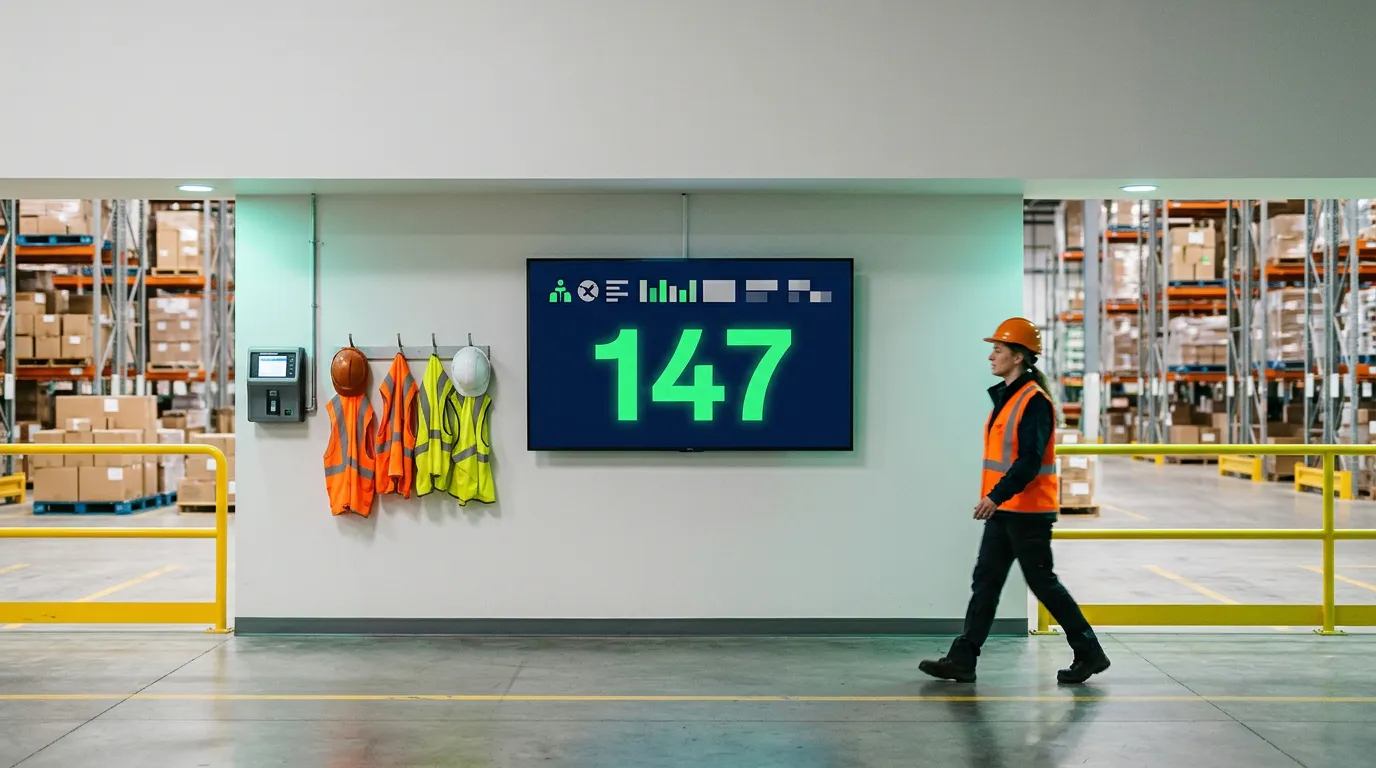
Place the safety scoreboard where workers naturally pause: building entrances, time clocks, break rooms, or near the primary work floor entrance. Mount it at or near eye level, away from glare sources and exit signage. (Our screen placement guide covers viewing height and distance in more detail.) The day count must be readable at the typical viewing distance without stepping closer.
For a warehouse or facility where workers pass at 10 to 20 feet, use bold sans-serif text with letter heights of at least 2 to 3 inches and a contrast ratio of 7:1 or higher. Black on white delivers roughly 21:1 contrast; black on yellow is approximately 19.6:1 and is well suited for high-visibility environments.
Avoid locations near windows facing direct sunlight, in forklift traffic zones, or anywhere that dust, moisture or heat could damage a screen. The standard is simple: if a worker passing at their normal pace cannot read the number in one glance, the display is not doing its job. Test legibility in the actual worksite lighting before finalizing placement, not just in a well-lit office during installation.
Resetting and updating the count after an incident
Reset the counter promptly once the safety manager or supervisor has confirmed the qualifying incident matches the written reset criteria. Document every reset and communicate the incident and any corrective action taken. The board should reinforce transparency, not bury a reset in silence.
Record the incident date, restart the count from that date using the organization's defined method (calendar days or scheduled workdays), and synchronize the displayed number with the relevant safety records. For a manual board, assign one person responsible for the daily change so the count is never stale. A display showing yesterday's number, or one that stops updating after a reset, undermines the credibility of the entire safety program.
How a digital display makes this easier to manage
Digital vs. manual safety scoreboards compared
| Feature | Manual flip board or whiteboard | Digital safety scoreboard |
|---|---|---|
| Daily update | Requires someone on-site each morning | Can be scheduled or updated remotely |
| Supporting metrics | Static; must be rewritten by hand | Can rotate multiple metrics on a timed loop |
| Milestone announcements | Requires new printed or written content | Can be pushed from the dashboard remotely |
| Incident reset | Manual; can be delayed or missed | Can be updated remotely on supported platforms |
| Safety message rotation | Not practical; content is static | Scheduled rotation throughout the day |
| Hardware cost | Low upfront; ongoing labor cost | Uses an existing TV with a streaming device |
| Legibility over time | Can fade; markers may smear | Consistent brightness and contrast |
Using a signage platform you already have
If you already use a digital signage platform like Billiie to run a menu board, promotional display or office announcement screen, you don't need separate hardware for a safety scoreboard. Billiie's split-screen layouts let you dedicate a zone on an existing TV to rotating safety content, supporting metrics, emergency contacts and motivational messages, while your menu or promotions run in an adjacent zone. For a single-screen setup, schedule the safety content to rotate into the playlist at set intervals throughout the day.
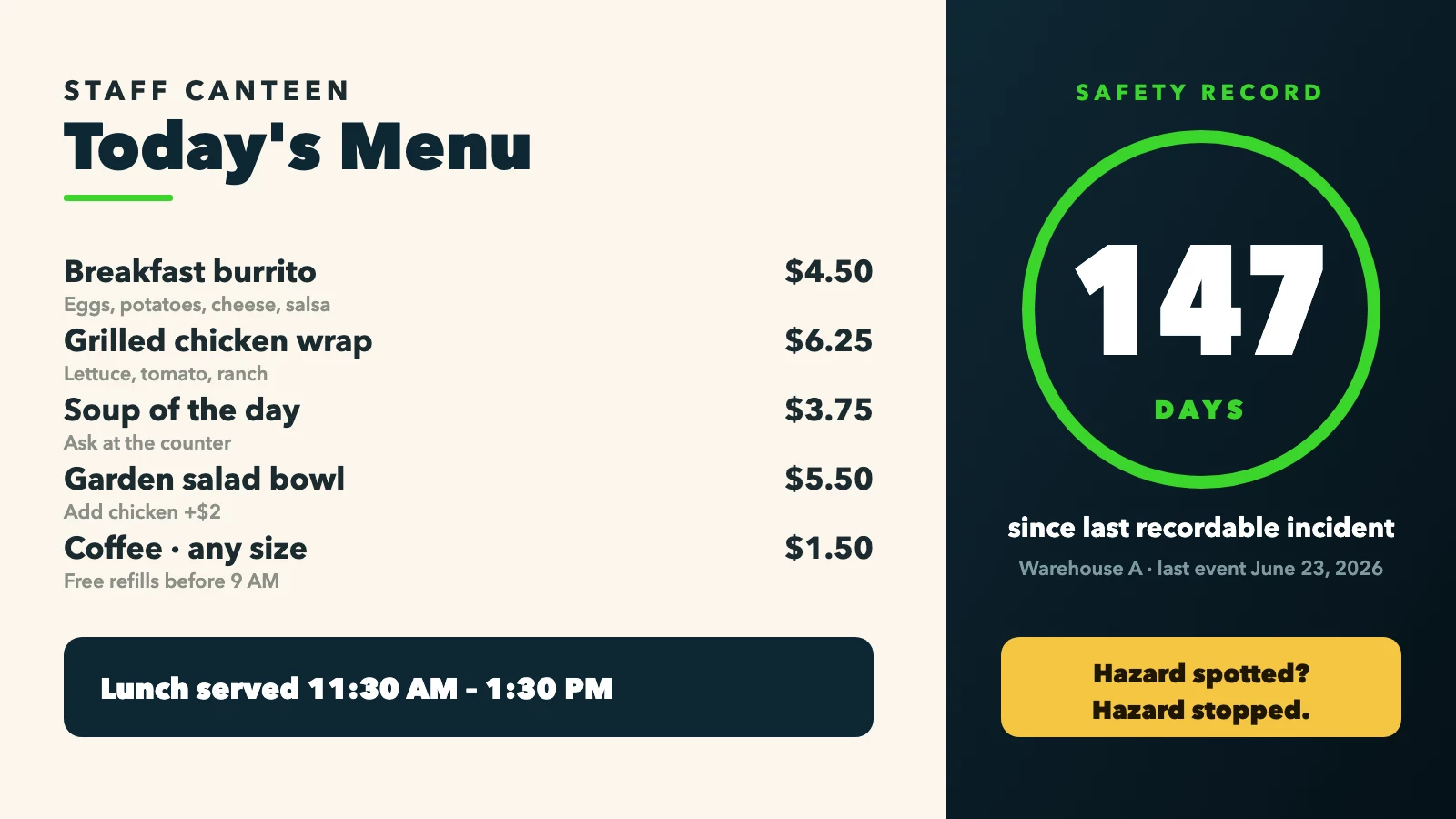
Illustrative split-screen layout: canteen menu and safety zone on one TV
The platform runs on a compatible Fire TV or Android TV device, and you manage everything remotely from one dashboard. That means your safety display stays current even when you're not on site. When an incident occurs and the counter needs to reset, you update the content from your phone. No printing, no driving in, no waiting for the morning crew to remember.
Your first screen is free, forever. When you need more, 10 screens cost $10 a month, with every feature included.
Wrapping it up
An accident-free days display earns its place on the wall when it shows the right information clearly and consistently. The essentials are a live day counter with a documented scope and incident definition, the date of the last qualifying event, supporting safety metrics like TRIR and DART rate, upcoming milestone goals, team recognition, emergency contacts, and rotating safety messages. Each element reinforces the others; remove one and the display becomes easier to dismiss.
Keep the written policy tight, distinguish what OSHA actually mandates from what you choose to display voluntarily, and assign one person to keep the count synchronized with official records. Tie recognition to reporting and safe behavior, not just to the streak staying unbroken, and you reduce the retaliation risk that a purely outcome-focused board can create.
If you're already running a digital signage platform, adding a workplace safety scoreboard requires no new hardware budget. Done right, the display reinforces a culture where workers report incidents freely, teams celebrate genuine safety progress, and the number on the wall actually means something.
Frequently asked questions
Should near misses reset the accident-free days counter?
Near misses do not have to reset your counter, but your written definition should make that clear. You can display the number of near misses reported as a supporting safety metric while keeping all incidents subject to reporting and investigation.
Why might the display count differ from the OSHA log?
Your display count may differ from the OSHA log if it covers different workers or uses a narrower incident category. Reconcile the number with the relevant incident records and document any differences clearly.
Can an accident-free days display replace required OSHA postings?
No, a voluntary accident-free days display does not replace required OSHA postings. Federal OSHA requires the Job Safety and Health poster and, for covered employers, Form 300A from February 1 through April 30 each year.
Can I add a safety scoreboard to a screen I already use?
Yes. If you already use a digital signage platform like Billiie, you can dedicate a split-screen zone to safety content or schedule it to rotate with your other content.


Ready to bring Billiie to your business?
Manage your screens, content, and locations from one simple dashboard.
No commercial signage hardware neededPowered by Billiie