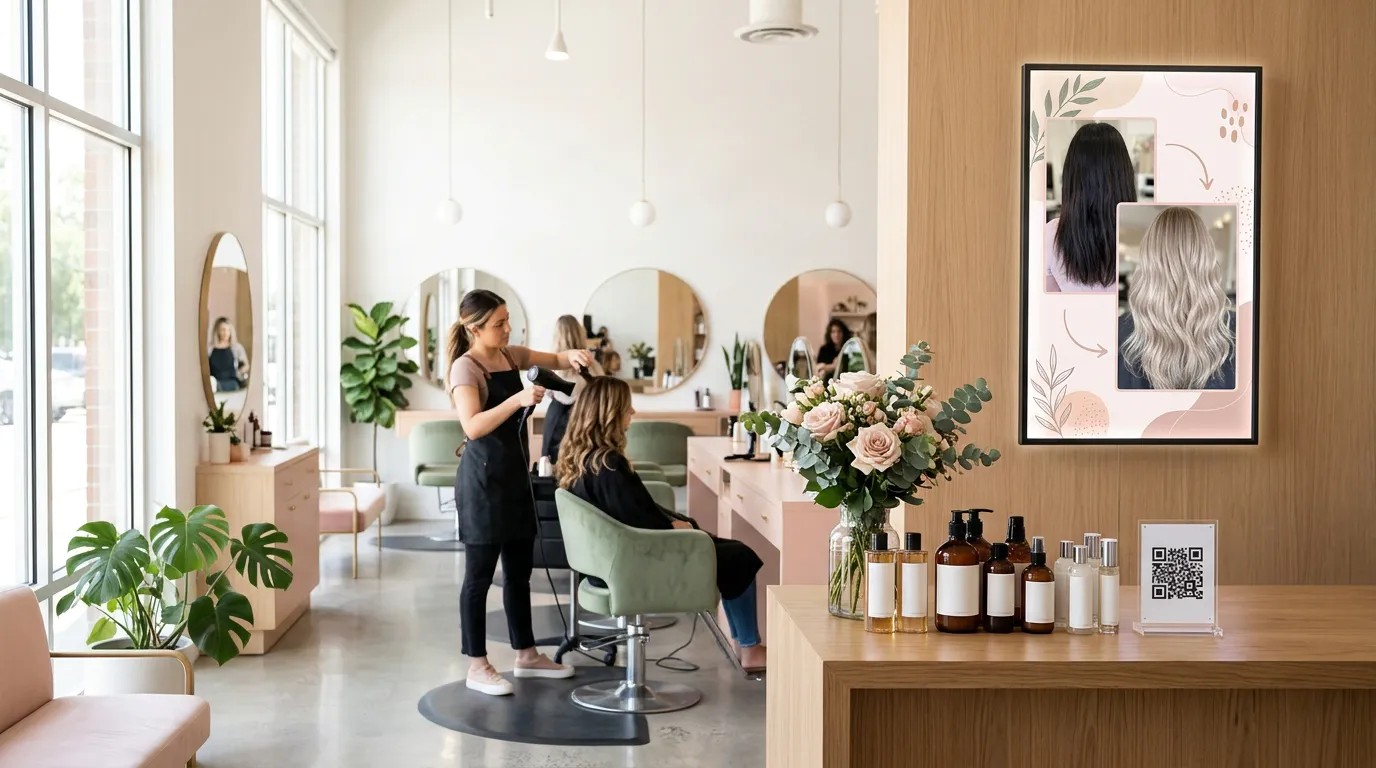
Digital Signage for Barbershops and Salons
Walk into almost any barbershop or salon and you'll find people waiting.
They're sitting in a chair by the door, flipping through their phone, or watching whatever happens to be on the TV. For 10, 20, sometimes 30 minutes, they have nothing much to do.
That waiting time is one of the most valuable moments in your business. Customers are relaxed, they're already inside, and they're thinking about how they want to look.
Digital signage for barbershops and salons turns that time into something useful. Instead of background TV, your screen can show your services and prices, promote add-ons, introduce your team, and remind customers to book their next visit.
Here's how barbershops and salons can use screens, what to show, and how to get started for free.
Why Barbershops and Salons Are a Great Fit for Digital Signage
Most businesses struggle to get a customer's attention for more than a few seconds. Barbershops and salons have the opposite situation: customers stay for a while, and many sit facing a wall or mirror with time to look around.
That makes screens especially effective for:
Service menus: cuts, fades, beard trims, color, styling, and treatments.
Add-ons: hot towel shaves, scalp treatments, conditioning, brow shaping.
Products: pomades, shampoos, oils, and styling products you sell.
Rebooking: reminders to book the next appointment before leaving.
Your team: introductions to barbers and stylists and their specialties.
Social proof: photos of your best work and customer reviews.
A printed price list can do some of this. A screen can do all of it, rotating through messages and changing whenever you want.
Show Your Service Menu and Prices
The most practical use for a screen is a clear service price display.
Customers often aren't sure what a service costs, especially for anything beyond a basic cut. Some won't ask. A screen that shows your services and prices answers the question before they reach the chair, and it can introduce services they didn't know you offered.
Keep it readable:
Group services into categories, such as cuts, beard, color, and treatments.
Use large text for the service name and price.
Keep descriptions to a few words.
Use strong contrast, like white text on a dark background.
For more design tips, see our guide on how to create a digital menu board. A barbershop TV menu works the same way as a restaurant menu board, just with services instead of sandwiches.
Promote Add-Ons and Upgrades
Add-ons are where barbershops and salons can grow revenue without adding customers.
Someone coming in for a fade might happily add a hot towel shave or a beard line-up, if they know it's available. Someone booked for a cut might add a treatment if they see the before-and-after.
Use your screen to feature one add-on at a time:
HOT TOWEL SHAVE — ADD TO ANY CUT FOR $15
A simple, specific offer like that, shown while the customer is waiting, can lead to a conversation in the chair. Rotate a few different add-ons through the day so regulars see something new.
Sell More Retail Products
Many barbershops and salons sell styling and hair-care products, but those products often sit on a shelf by the register with little attention.
A screen near the waiting area can show what each product does and who it's for:
"Matte finish, strong hold. Ask your barber."
"Our stylists' favorite for curly hair."
"Keep your color fresh between visits."
When the barber or stylist then uses the product during the service, the customer has already seen it. That makes the recommendation feel natural rather than pushy.
Introduce Your Team
Customers like to know who's cutting their hair.
A short slide for each barber or stylist, with their name, photo, specialties, and how long they've been cutting, helps new customers feel comfortable and helps them pick someone for their next visit.
It's also a nice way to recognize your team and highlight newer staff who are building their client list.
Show Off Your Best Work
Photos of great cuts, color transformations, and styles are some of the most persuasive content a salon can show.
Rotate before-and-after photos and finished looks on your screen, ideally with the customer's permission. Customers waiting for their turn see what your team can do, and many will ask for something similar.
You can also show your best reviews. A short quote from a happy customer builds trust with someone sitting in your chair for the first time.
Remind Customers to Rebook
The best time to book the next appointment is before the customer leaves.
A screen near the front desk or checkout can show a simple reminder:
LOOKING SHARP? BOOK YOUR NEXT CUT BEFORE YOU GO
If you take online bookings, add a QR code that opens your booking page, so customers can book from their phone while they pay.
Use Your Waiting Area Wisely
Your waiting area is where customers spend the most time looking at a screen, so it deserves the most thought.
A good waiting-area playlist might include:
Your service menu and prices
One featured add-on
A retail product highlight
A team introduction
Photos of recent work
A rebooking reminder
Keep each message short and let it display long enough to read. Our page on digital signage for waiting rooms has more ideas for keeping waiting customers engaged.
Change Your Content Throughout the Day and Week
Salon digital signage doesn't have to show the same thing all day.
With Billiie Digital Signage, you can schedule content by time and date. You might promote a quick lunchtime trim midday, feature evening appointments in the afternoon, or run a "Wednesday special" only on Wednesdays.
You can also set an end date for limited-time offers, like a holiday gift card promotion or a back-to-school special, so it disappears from the screen when the offer ends.
One Screen or Several?
Most barbershops start with one screen in the waiting area. Larger salons sometimes add more:
Waiting area: services, add-ons, team, and your best work.
Front desk or checkout: rebooking reminders and gift cards.
Retail shelf: product highlights.
Billiie lets you manage all your screens from one dashboard, and assign a screen to a team member if someone else manages it, such as a front-desk manager who handles promotions.
If you run more than one location, you can manage every shop's screens from the same account.
What Do You Need to Get Started?
Less than you might think:
A TV. Many barbershops already have one. Our guide to choosing the right TV or display for Billiie covers what works.
A Fire TV Stick or compatible TV, to run the Billiie app.
Wi-Fi.
Your designs. Create your service menu and promotions in a free tool like Canva, or ask a designer. Billiie displays your finished images and videos.
Then pair your screen with your Billiie account, upload your designs, and choose when they show.
How Much Does It Cost?
With Billiie, your first screen is free, forever. Each additional screen is $1 per month.
So a barbershop with one waiting-area TV can run digital signage at no software cost at all, and a salon with three screens pays $2 per month.
Turn Waiting Time Into Business
Your customers are already sitting in your shop, looking for something to watch. Give them something that helps your business: your services, your add-ons, your products, your team, and a reason to book again.
Want more ideas for bringing people through the door? Read 7 low-cost ways to get more walk-in customers.
Create your Billiie account and put your barbershop or salon screen to work today.

Ready to bring Billiie to your business?
Manage your screens, content, and locations from one simple dashboard.
No commercial signage hardware neededPowered by Billiie